What To Do If an Agency Refuses to Release Your Account?
When an agency refuses to release your OnlyFans account, it’s not just “drama”, it’s a business continuity problem. Your income, your fan relationships, your...

When an agency refuses to release your OnlyFans account, it’s not just “drama”, it’s a business continuity problem. Your income, your fan relationships, your content library, and your safety can all be at risk at the same time.
This guide is a calm, practical playbook for getting control back without accidentally making things worse.
Step 1: Identify what they’re actually holding hostage
“Refusing to release your account” can mean a few different things, and the fix depends on which one you’re dealing with.
The 4 common lockout scenarios
| What’s being withheld | What it looks like | Why it matters | Your fastest leverage |
|---|---|---|---|
| Login access | You can’t log in, password changed, 2FA not yours | You can’t post, message, or withdraw | Control of email/phone tied to the account, OnlyFans support, proof of identity |
| Email/2FA control | You can log in sometimes, but they control resets | They can retake the account any time | Regain email first, then rotate passwords and 2FA |
| Payout/banking control | Payouts routed to them or a “shared” account | They can keep revenue even if you post | Document payout history, push for payout method update, contract review |
| Content + “brand assets” | They own the promo accounts, drive traffic | Even if you regain OF, you lose top-of-funnel | Secure your social accounts, link-in-bio, domains, backup channels |
If you’re not sure which it is, assume it’s at least two (most bad situations involve login + payout + socials).
Step 2: Do the “first 60 minutes” damage control
If you still have access anywhere, move fast. Your goal is to stop the bleeding and create a clean record of what happened.
If you can still access your OnlyFans account
- Change your OnlyFans password (use a unique password you have never used before)
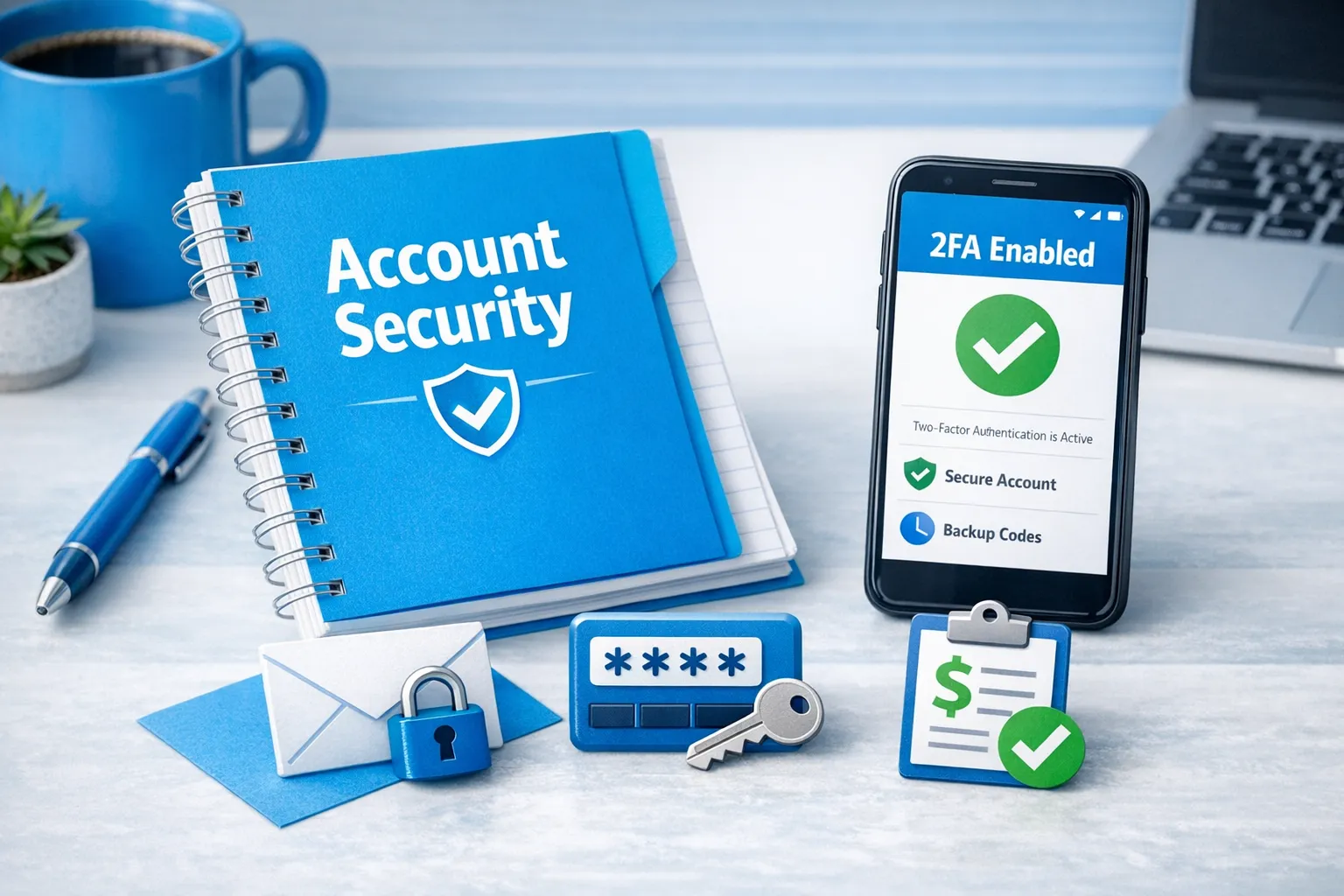
- Turn on 2FA under a phone/email you control
- Check for connected sessions/devices and sign out of everything you don’t recognize
- Review payout settings and make sure payouts go to an account you control
- Screenshot your settings pages (email, payout, security) for documentation
If you cannot access OnlyFans at all
- Secure the email address that was used to create the account
- Reset passwords for:
- Instagram/X/TikTok/Reddit
- Link-in-bio tool
- Cloud storage where content is saved
- Enable 2FA on everything, especially email and social accounts
- Take screenshots of:
- Your conversations with the agency
- Any proof you are the creator (verification emails, payout emails, invoices, contracts)
If you suspect the agency has access to your email, treat email as the priority, because email is usually the key to every reset.
Step 3: Gather proof and build your “ownership file”
Even if you plan to resolve this privately, you want a clean packet of evidence in case you need platform support or legal help.
Create a folder (Google Drive, iCloud, or offline) called something like: ACCOUNT RECOVERY - [DATE].
Include:
- Contract, addendums, and any “terms” they sent in DMs
- Invoices, payout screenshots, and bank statements showing deposits (if applicable)
- Screenshots of the account profile showing your stage name, photos, and bio
- Proof you created content (raw files, timestamps, uploads)
- Any threats, refusal messages, or “pay to release” statements
- A timeline note (simple bullet log) of:
- When you joined
- When access changed
- What you asked for
- What they replied
This matters because platforms and professionals move faster when you show a clear timeline.
Step 4: Try the fastest resolution first (a structured release request)
A lot of agencies back down when you communicate like a business, set a deadline, and remove “emotion fuel.”
Your release message template (copy/paste)
Send this by email and by whatever channel you’ve been using (WhatsApp/Telegram/DM), so there is a record.
Subject: Account access transfer request (deadline: [DATE])
Hi [Name],
I’m requesting full release of my OnlyFans account and related assets by [DATE + TIME]:
- Primary login email updated to: [YOUR EMAIL]
- 2FA set to my device
- Password reset completed by me
- Payout settings confirmed to my payout method
- Delivery of all brand assets you manage for me (promo accounts, link hubs, content folders, captions, schedules)
To keep this clean and professional, please confirm in writing that you will complete the transfer by the deadline, or propose a same-day handover call.
If access is not restored by then, I will escalate through official platform support and other formal routes.
Thank you, [Your name]
Offer a transition handover (if you can)
If you want to reduce resistance, offer a simple transition:
- 24 to 72 hours for handover
- A mutual “final accounting” of payouts and services
- A written confirmation that they will not access the account after transfer
If they are legitimate but disorganized, this resolves it.
If they are dishonest, they will stall, threaten, or demand money.
Step 5: Don’t pay a “release fee” without verifying your contract
Some agencies try to charge a “release fee,” “admin fee,” or “breach fee” as a condition to give your account back.
This is educational, not legal advice. Policies and laws can change. Verify with official sources or a professional.
Before paying anything:
- Re-read your contract for exit terms, cure periods, and any early termination clauses
- Check whether they are withholding access in a way that violates the contract itself
- Ask them to itemize:
- What the fee is for
- What clause it comes from
- What you receive after paying (in writing)
If they refuse to show the clause, that is a strong sign you are being pressured, not billed.
For more scam patterns and how creators get trapped, read: OnlyFans scam guide: how agencies, managers and chatters rob creators.
Step 6: Escalate to OnlyFans support (the right way)
If you are locked out or believe your account is compromised, escalate through official OnlyFans support channels. Start with the OnlyFans Help Center and follow the account access or security pathways available.
What helps your case:
- A clear statement: “I am the verified creator. I no longer have access. An agency/third party is withholding access.”
- Proof of identity that matches the verified creator
- Proof of ownership signals:
- Original signup email access (if you have it)
- Payout history
- Screenshots of prior settings or account pages
- Contract (if it supports your claim)
What usually slows things down:
- Emotional, unclear messages (support teams need facts)
- Missing proof
- Multiple conflicting stories
Support ticket template (copy/paste)
Hi OnlyFans Support,
I am the verified creator on account: [USERNAME]
I no longer have access to my account. A third party (an agency) is refusing to release login access and controls [email / 2FA / payout settings]. I am requesting account recovery and restoration of access.
I can provide:
- Proof of my identity matching the verified creator
- Proof of account ownership and prior access
- A timeline of events and screenshots
Please advise the required steps to restore access and secure the account.
Thank you, [Legal name] [Email]
Step 7: Protect your income while recovery is happening
If you’re locked out, the financial panic is real. Your goal is to keep your audience warm so you don’t “start from zero” when the account comes back.
Do this immediately:
- Post a neutral update on your main social(s): “My main link is temporarily down. Backup link in bio.”
- Move your traffic to a link hub you control (not theirs)
- Start collecting emails or a broadcast channel you control (Telegram channel, newsletter, etc.)
- Consider diversifying platforms if you are already eligible and comfortable doing so
Lookstars also supports platform expansion (Fansly, OFTV, and alternatives), which can reduce dependency on one login or one partner. (If you want the bigger picture on operating solo vs outsourcing, see: Working with an agency vs running OnlyFans alone.)
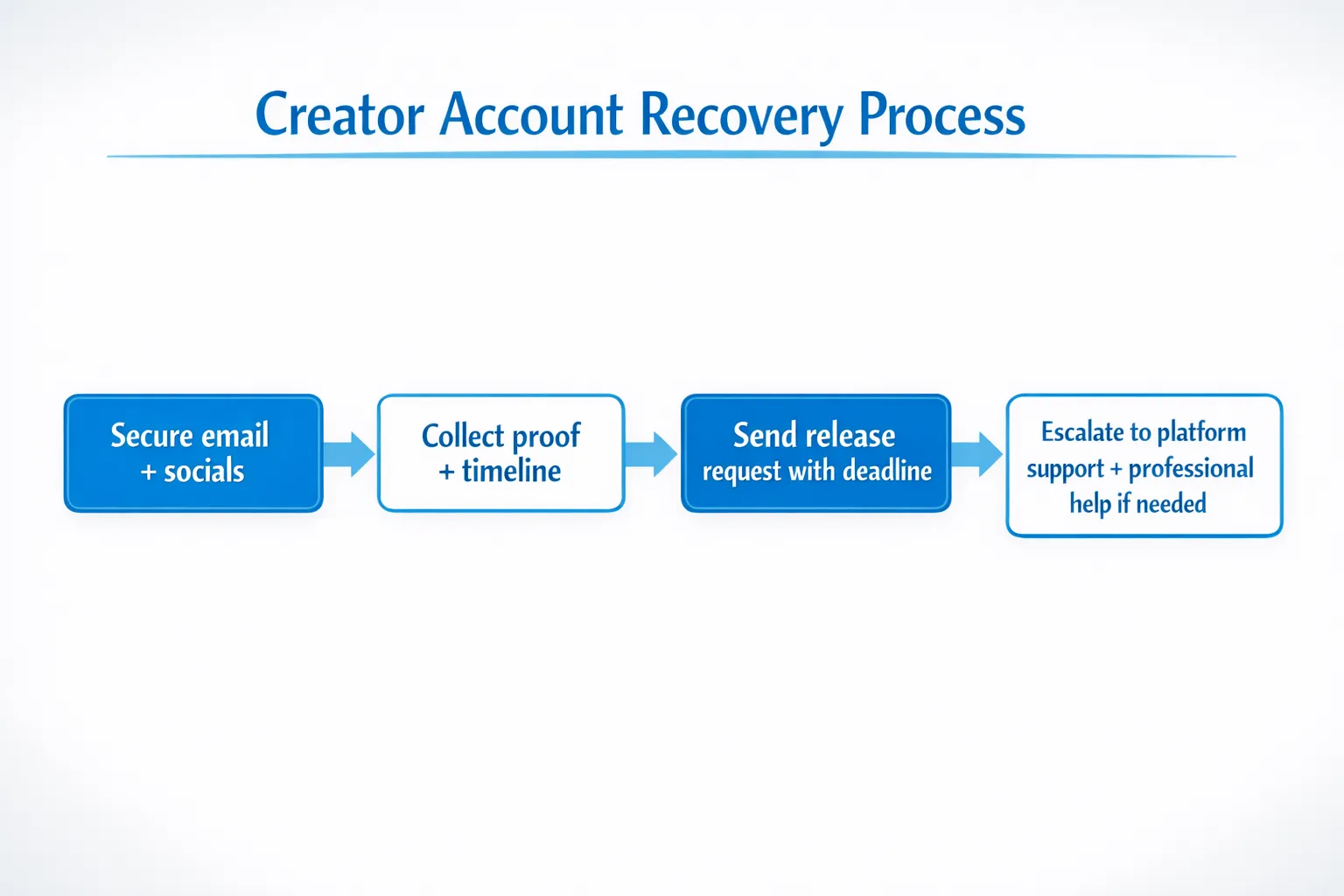
Step 8: If they still refuse, consider a professional escalation
When an agency is truly refusing to release access, you may need external pressure.
Options that often work, depending on your situation:
- A formal demand letter from an attorney
- A business mediator (if both sides are semi-cooperative)
- Cybersecurity help (if passwords, devices, or emails were compromised)
This is educational, not legal advice. If money is significant or there are threats involved, talking to a qualified attorney in your jurisdiction can be worth it.
Step 9: Red flags that suggest you should treat it as a hostile situation
If you see these behaviors, stop negotiating casually and move into documentation + escalation mode:
- They demand money to “unlock” your account
- They refuse video calls or any written confirmation
- They threaten to leak content, dox you, or contact family
- They claim they “own” your account, your stage name, or your content without clear contract language
- They ask for your ID, selfies, or sensitive documents outside official platform verification
If you want a quick vetting checklist for the next time you hire help, keep this bookmarked: 6 red flags before signing with an OnlyFans agency.
Step 10: Prevent this from happening again (practical access rules)
Most creators don’t think about “account governance” until something goes wrong. Here’s the safer setup.
The non-negotiable access rules
- Your email stays yours. The signup and recovery email should be controlled by you.
- Your 2FA stays yours. If someone else has 2FA, they can always retake control.
- No shared banking logins. If payouts are involved, keep them clean and auditable.
- A written exit process. Your contract should describe the release steps and timeline.
A simple handover checklist (save this)
| Asset | You should control | How to verify |
|---|---|---|
| OnlyFans login email | You | Password reset works from your inbox |
| 2FA | You | You can generate codes, they cannot |
| Payout method | You | Settings show your payout method |
| Social accounts | You | You are the owner/admin, recovery email is yours |
| Link-in-bio | You | You can change links without approval |
| Content vault | You | You have raw files stored outside the agency |
If you’re hiring any OnlyFans management agency, ask directly how they handle access, exits, and security. The best partners will answer without defensiveness.
Who this is for (and who it’s not for)
This guide is for you if:
- You worked with an agency/manager/chatter and access is being withheld
- You’re trying to exit safely without losing your income stream
- You want a clear escalation path that does not rely on threats
This guide is not for you if:
- You willingly gave up ownership in a contract you fully understood and still want a “no consequences” exit
- You are trying to bypass platform verification or break platform rules
If you’re looking for a safer agency model going forward
Not every agency operates this way, and you deserve better than feeling trapped.
Lookstars positions itself as a full-service OnlyFans management agency with no upfront costs, weekly payouts, and flexible cancel-anytime contracts, plus marketing, 24/7 fan chatting, and privacy-focused services like leak monitoring and takedowns.
If you want to compare what professional management can look like (including tradeoffs), read: Lookstars Agency review: honest pros, cons & results. You can also start with the broader decision guide: When to hire an OnlyFans management agency.



Ready to transform your career?
Join hundreds of creators already earning six figures with Lookstars Agency.
Share this article
Best OnlyFans Agency
Europe's Leading OnlyFans Management Agency.

100% Free Ebook
Get our guide and unlock the secrets to OnlyFans success.
100% Free Ebook
Get our guide and unlock the secrets to OnlyFans success.
Free Revenue Calculator & Profile Analyzer
Try them for freeContinue reading...

Am I Attractive Enough for an OnlyFans Agency? The Answer

Can You Ever Fully Delete Your OnlyFans Content? The Reality
