I Gave an Agency Access to My Email: Mistake or Not?
Handing an agency access to your email can be either a smart operational move or the fastest way to lose control of your OnlyFans business. The difference is...
Handing an agency access to your email can be either a smart operational move or the fastest way to lose control of your OnlyFans business. The difference is not “trust” as a feeling, it’s the access level you give, what that email is connected to, and whether you set guardrails before day one.
If you already gave access and you’re spiraling a little, breathe. In most cases, you can secure everything quickly with a clean reset and a safer setup.
Why agencies ask for email access in the first place
Not every request is shady. In real operations, email often becomes the control center for:
- Password resets for tools (scheduling, link hubs, cloud storage)
- Receiving platform notifications (chargebacks, login alerts)
- Brand and promo outreach (collab emails, SFS coordination)
- Customer support threads (takedown requests, DMCA forms)
- Team workflows (shared inboxes for chatter leads or VIP management)
The problem is that creators often give access to the wrong email (their “master identity” email), or they give the wrong type of access (full login instead of delegated access).
The real risk: email is the key to everything
If someone can get into your email, they can often:
- Reset your OnlyFans password
- Reset your Instagram, X, Reddit, TikTok, and link-in-bio accounts
- Access banking or payout emails, invoices, and personal data
- Create forwarding rules so you never see alerts
- Download years of private info (contracts, IDs, travel confirmations)
This is why “just email access” is not a small ask. It is frequently the highest leverage access anyone can request.
Quick decision framework: mistake or not?
Use this simple “risk-first” test.
It’s probably not a mistake if all three are true
- You gave access to a dedicated business email (not your personal, not tied to banking, not tied to your Apple/Google master account).
- You used a shared inbox or delegated access, not a shared password.
- You can revoke access instantly (and your contract clearly says you can).
It’s a high-risk mistake if any of these are true
- You shared the login to the email that also controls your OnlyFans login, payouts, or personal identity.
- They insisted on full access and pushed back on safer alternatives.
- You noticed new forwarding rules, unfamiliar devices, or “security alert” emails you did not trigger.
If you want the bigger picture on outsourcing safely, this guide helps you map tradeoffs beyond security: Working With an Agency vs Running OnlyFans Alone.
The safest way to structure email access (what I recommend)
The goal is least privilege. Give an agency what they need to do the job, without giving them the keys to your entire life.
Step 1: Separate your “Owner Email” from your “Ops Email”
Create two emails with two different jobs:
- Owner Email (private, never shared): OnlyFans login email, payout-related email, banking, tax, identity verification.
- Ops Email (shareable): promo outreach, collabs, tool signups, community management, DMCA/takedown inbox.
If you are a privacy-focused or no-face creator, this separation is non-negotiable. You can pair it with geo-blocking, leak monitoring, and identity separation strategies like the ones discussed here: How to Secretly Promote Your OnlyFans (Without Friends or Family Finding Out).
Step 2: Avoid sharing passwords (use delegation instead)
When possible:
- Use Gmail delegated access or a shared mailbox (Microsoft/Google Workspace).
- If you need a shared inbox, use a tool that supports team access without sharing the master password.
If an agency’s first solution is “send your email password,” that’s a yellow flag at best.
Step 3: Lock down your Owner Email like a vault
Minimum security baseline:
- Turn on 2FA (prefer an authenticator app or hardware key)
- Save recovery codes offline
- Set a recovery email and phone you control
- Review “recent security activity” monthly
Google’s Security Checkup is a good quick scan for Gmail accounts.
Step 4: Put access boundaries in writing
Even with a trustworthy partner, get it in writing:
- What inboxes they can access
- What actions are allowed (resetting passwords, creating rules, contacting banks)
- What happens on exit (handoff timeline, deletion of data, revocation process)
For broader agency due diligence, keep this open while you evaluate: 6 Red Flags to Watch Out for Before Signing with an OnlyFans Agency.
Comparison table: email access options (from safest to riskiest)
| Access method | What it gives them | Risk level | Best use case |
|---|---|---|---|
| Delegated access / shared mailbox role | Read/send without owning the account | Low | Daily ops, outreach, support |
| Helpdesk or inbox tool (role-based) | Managed access, logs, easy removal | Low to medium | Larger teams, multiple operators |
| Shared password with 2FA you control | Full access, but you can block logins | Medium | Short-term, only if no other option |
| Shared password plus shared 2FA | Full control including resets and lockouts | High | Avoid |
| Your personal “master” email login | Access to your entire digital identity | Very high | Never |
The hidden danger most creators miss: forwarding rules
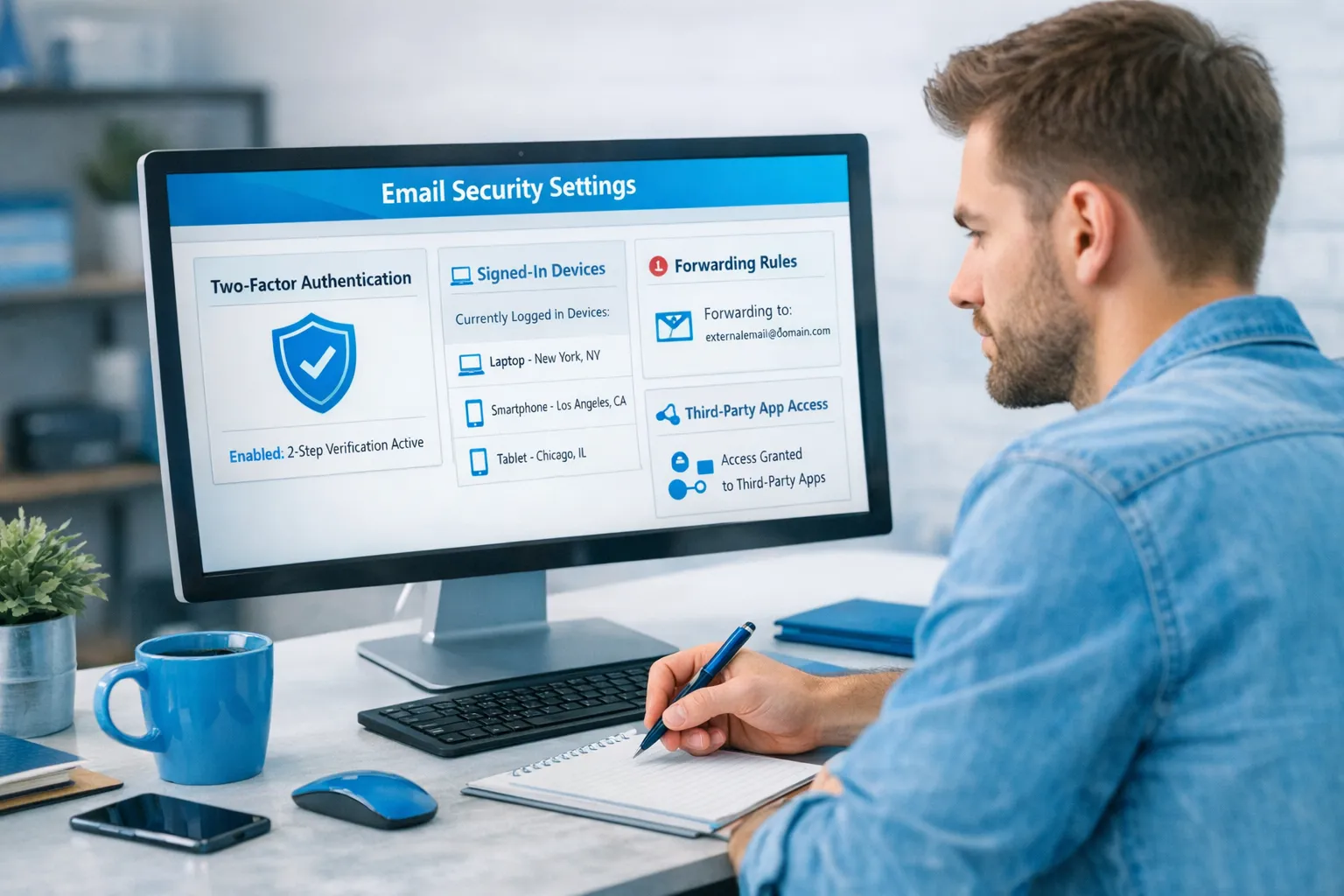
A common takeover pattern is not changing your password. It’s setting up forwarding so copies of your emails go somewhere else.
Check this immediately in your email settings:
- Forwarding addresses you do not recognize
- Filters that auto-archive “security alert” emails
- New “app passwords” or third-party access you never approved
“What should I do if I already gave them access?” (Clean reset checklist)
If you feel uneasy, you do not need to accuse anyone. Just secure your systems.
Here’s a practical reset you can do in under an hour:
- Change your email password (unique, long)
- Sign out of all sessions/devices
- Turn on 2FA (or reset it if it was already on)
- Remove any unknown recovery emails or phone numbers
- Delete unknown forwarding rules and filters
- Review connected apps and revoke anything you do not recognize
- Change your OnlyFans password and confirm the login email is correct
- Update passwords for social accounts connected to that email
If you suspect you were targeted by a scammy “management” setup, read this next and follow the safety steps: OnlyFans Scam: How Agencies, Managers and Chatters Rob the Creators (And How to Stay Safe).
Questions to ask an agency before you share any email access
You want direct answers, without attitude.
- What exactly do you need email access for? (Tools, outreach, support, takedowns)
- Can we use a shared inbox or delegated access instead of sharing passwords?
- Which team members will touch this inbox, and are actions logged?
- What security standard do you require? (2FA, password manager, access revocation)
- What is the offboarding process? (same day revocation, data deletion, handoff)
A legit agency will typically respect security boundaries because it protects them too.
Copy/paste message: “I’m happy to give access, but safely”
Use this if you want to keep the relationship professional while setting boundaries.
Message template
Hi! I’m happy to set up email access for smoother operations.
For security, I don’t share passwords to my owner email (the one tied to OnlyFans login/payouts). Instead, I can:
- Create an Ops email for outreach/tools, and
- Add you via delegated access/shared mailbox permissions, or provide role-based inbox access.
Please confirm which inbox you need and who on your team will have access. Also confirm the offboarding process so I can revoke access instantly if needed.
Thank you.
Who giving email access is for (and who it’s not)
This matters because not every creator needs the same operational setup.
It’s a good fit if you are
- Scaling and juggling promo, collabs, and multiple platforms
- Drowning in admin and want help with business management
- Ready to operate like a business, with clean separation between personal and creator identity
It’s not a good fit if you
- Only have one email and it’s tied to everything (start by separating first)
- Feel pressured, rushed, or guilted into giving access
- Want “set it and forget it” without checking security settings
Where Lookstars fits (if you want management without sloppy access)
If you’re considering a full-service partner, the standard you want is: marketing + fan growth + DM systems + leak protection + privacy support, with clear boundaries and revocable access.
Lookstars is positioned as an OnlyFans management agency focused on growth and operations, including marketing, 24/7 chatting, strategic posting, and privacy and leak protection support, with no upfront costs and flexible contracts. If you’re comparing options, you can start here: Lookstars Agency Review: Honest Pros, Cons & Results.
If you want to explore working together, you can learn more at Lookstars Agency.
Bottom line
Giving an agency access to your email is not automatically a mistake.
It becomes a mistake when:
- It’s your master identity email
- It’s shared by password
- You cannot revoke access cleanly
- You did not check forwarding rules and security logs
If you set up an Owner Email and an Ops Email, use delegated access, and document boundaries, you can get the operational upside without gambling your entire account.
This article is educational, not legal advice. Policies and laws can change. For legal or account-specific questions, verify with official documentation or a qualified professional.



Ready to transform your career?
Join hundreds of creators already earning six figures with Lookstars Agency.
Share this article
Best OnlyFans Agency
Europe's Leading OnlyFans Management Agency.

100% Free Ebook
Get our guide and unlock the secrets to OnlyFans success.
100% Free Ebook
Get our guide and unlock the secrets to OnlyFans success.
Free Revenue Calculator & Profile Analyzer
Try them for freeContinue reading...

Am I Attractive Enough for an OnlyFans Agency? The Answer

Can You Ever Fully Delete Your OnlyFans Content? The Reality
