What Happens If an OnlyFans Agency Ghosts You?
If your OnlyFans agency suddenly goes silent, it can feel like your income is being held hostage. The scary part is that “ghosting” is rarely just a communic...

If your OnlyFans agency suddenly goes silent, it can feel like your income is being held hostage. The scary part is that “ghosting” is rarely just a communication issue. It can quickly turn into a security risk (account access, leaks), a cash-flow problem (payout confusion), and a brand problem (fans feeling ignored).
This guide is a calm, creator-first playbook for what typically happens when an OnlyFans agency ghosts you, and what to do in the next hour, day, and week to protect yourself.
First, define what “ghosting” actually means (so you respond correctly)
Creators use “ghosting” to describe different situations, and the right response depends on which one you’re in.
Common ghosting scenarios:
- They stop replying on Telegram/WhatsApp/IG, but your account still looks normal.
- DMs slow down or stop, PPV isn’t going out, or fans complain.
- You’re locked out (password changed, 2FA changed, email changed).
- Money feels “stuck” (you don’t understand where payouts are going, or they’re delaying your split).
- They still have your content (Drive/Dropbox access) and you’re worried it will be reused.
The most important question is simple:
Do you still control your OnlyFans login and the email tied to the account?
If the answer is anything other than a confident “yes,” treat this as a security incident, not a business disagreement.
What can happen next (realistic risks to be aware of)
Even if you’re not panicking, it helps to know what’s at stake.
1) Revenue dips fast because DMs are the engine
For most accounts, DM consistency drives renewals, tips, and PPV sales. If your agency handled chatting and it stops, you can see:
- Fans assume you quit or got bored
- Lower rebill rates
- Fewer PPV opens because your “rhythm” disappeared
The fix is not “post more.” The fix is restore a reliable DM and posting routine as quickly as you can.
2) You can lose account control if they control email or 2FA
If an agency has access to your:
- OnlyFans login
- Email inbox for password resets
- 2FA authenticator
…they can effectively lock you out.
3) Privacy and leak risk can increase
If they previously handled monitoring or DMCA takedowns and stop, you can lose momentum on:
- Identifying reposts
- Filing takedowns
- Stopping leak accounts that pop up repeatedly
(If you want a broader safety overview on shady behavior patterns, see: OnlyFans Scam: How Agencies, Managers and Chatters Rob the Creators.)
4) Your brand voice can get messy
If fans are used to fast replies and a specific tone, a sudden shift can trigger:
- “Is this a new chatter?” accusations
- Trust drop
- More chargeback-y behavior (not always your fault)
You can recover, but you need a clean transition.
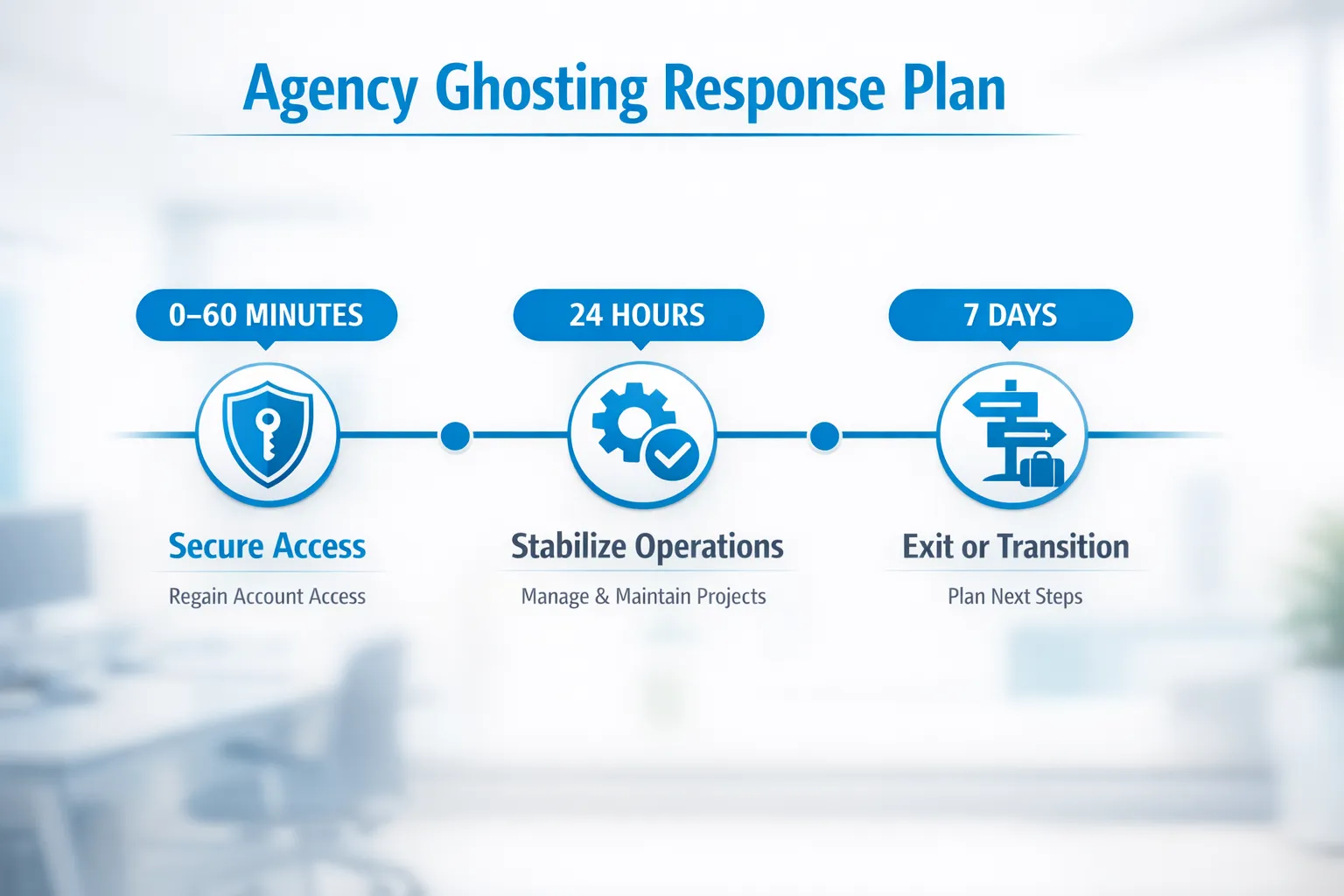
The 0 to 60 minute triage (do this first)
This is your stop-the-bleeding checklist.
Step 1: Secure access (priority #1)
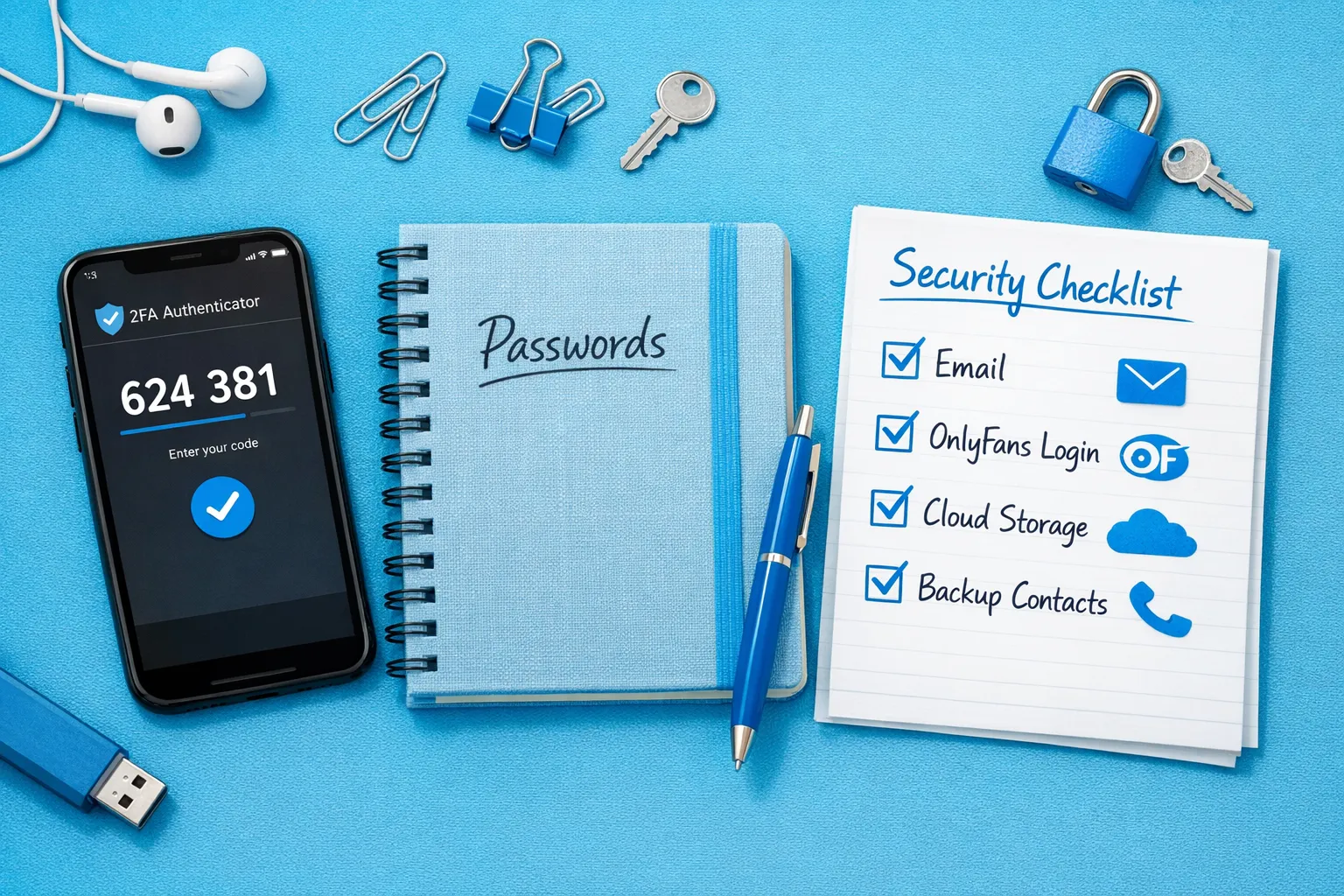
Do these in order:
- Log into OnlyFans and confirm you can access settings.
- Change your OnlyFans password (use a new, unique one).
- Change your email password tied to OnlyFans.
- Turn on 2FA (or reset it if you suspect it was compromised).
- Review connected sessions/devices anywhere you can (email providers often show sign-ins).
If you suspect they have your email too, secure email first, then OnlyFans.
Step 2: Pause anything that could worsen damage
- Stop sharing new content files to shared folders until you regain control.
- Pause giving new collaborators access to anything.
- Do not send angry threats from the same chat where they might still have social leverage.
Step 3: Take clean screenshots for evidence
Create a folder and save:
- Your contract (PDF + screenshots)
- Last payout-related messages
- Any “we’ll pay you Friday” promises
- Proof of access being changed (error messages, login alerts)
This is boring, but it matters if the situation escalates.
Identify your exact access situation (and the right response)
Use this table to decide what you do next.
| Situation | What it usually means | Your best immediate move |
|---|---|---|
| You control OnlyFans login + email + 2FA | Likely communication breakdown or service failure | Secure passwords anyway, then send a formal “response deadline” message |
| You control OnlyFans login, but not the email or 2FA | They can lock you out later | Secure email/2FA urgently, contact email provider support if needed |
| You’re locked out of OnlyFans | Active takeover risk | Start recovery, contact OnlyFans support, document everything |
| You’re logged in, but settings changed (payout info, promo links, welcome message) | Someone still operating inside your account | Change password, reset 2FA, review settings, message fans if needed |
The 24-hour stabilization plan (keep money coming in)
Once access is secured, you need to protect income and fan trust.
1) Rebuild a “minimum viable operations” routine
You don’t need to be perfect, you need to be consistent.
For the next 7 days, aim for:
- 1 feed post per day (even a teaser or check-in)
- 20 to 60 minutes of DMs twice a day
- 1 to 3 PPV drops per week (if that’s part of your model)
If you want a structured selling approach, this pairs well with: How to Sell Content on OnlyFans: A Step-by-Step Guide.
2) Send a calm message to fans (optional, but powerful)
If fans notice the shift, you can reset expectations without oversharing.
Copy/paste template (keep it short):
“Hey babe, quick note: I’m personally back in my DMs again, so replies might feel a little different for a couple days. Thank you for being patient with me. I’m here and I’ve got you 💕”
This works because it reassures them you’re present, without inviting a debate.
3) Audit the most “invisible” settings agencies often touch
Check:
- Welcome message
- Mass message drafts/scheduled sends
- Pricing and bundles
- Blocked words / restricted users
- Any tracking links or pinned posts
If you use tracking links, revisit your system so you don’t lose visibility on what’s working: OnlyFans Tracking Links Guide.
How to contact the agency (and create a paper trail)
If your goal is to exit safely or get paid, you need to communicate like a business.
Message template: “Response deadline + what happens next”
Send this by two channels (example: Telegram + email) so you can prove delivery.
Copy/paste:
“Hi [Name], I’ve had no response since [date/time]. I’m requesting a written update within 24 hours on:
- Account access status (who currently has login access)
- Payout status (what’s pending and when it will be paid)
- Offboarding plan (handover of assets, files, ad accounts, tracking links)
If I don’t receive a response by [deadline], I’ll consider the agreement in breach and will proceed with account security changes and formal escalation. Please confirm receipt.”
Keep it factual. No insults. No essays.
If you’re locked out: what to do (without making things worse)
If you can’t access your account, you’re in recovery mode.
1) Try standard recovery steps first
- Use “forgot password” only if you control the email
- Check your email for login alerts or reset links
- Change email password immediately
2) Contact OnlyFans support
OnlyFans policies and processes can change, so use the official support flow inside the platform or their official help pages.
What to include in your message (keep it clean):
- Your creator username
- The email originally tied to the account (if you have it)
- Approximate date you lost access
- Screenshots of suspicious changes
- Proof of identity if requested
Short support template:
“Hi Support, I’m the verified creator for @____. I believe my account access was changed without my consent on [date]. I can no longer log in / settings were changed. Please advise the account recovery steps and how to re-secure access.”
Money: understand what can and cannot be “held”
This is where creators get manipulated, so here’s the reality in plain language.
OnlyFans payouts vs agency payments are not the same thing
- OnlyFans pays out to the payout method attached to the OnlyFans account.
- An agency split is typically an agreement between you and the agency.
So ask yourself:
- Is the payout method yours?
- Do payouts go directly to you, then you pay them?
- Or do they receive funds first and then pay you?
If you’re dealing with payout delays (especially international), this can help you troubleshoot the non-agency part of the problem: International Payouts: How to Avoid Common Delays.
Content, leaks, and “ownership” (protect your files)
Agencies often have access to:
- Your raw photos/videos
- Your edited sets
- Your vault organization
- Your promo folders
Quick protection moves
- Change passwords to cloud storage (Google Drive, Dropbox, iCloud)
- Remove shared access links
- Watermark new content going forward
- Start basic leak monitoring again if they were doing it
If you’re worried about leak protection as a service, look for partners who clearly explain monitoring and takedown processes, not vague “we do DMCA.” (And yes, takedown effectiveness varies by site.)
Should you wait, transition, or cut them off today?
You don’t need a dramatic breakup, you need the lowest-risk path.
Use this simple framework:
Wait 24 to 72 hours if
- You still control login, email, and 2FA
- No payout changes happened
- Service quality dropped but nothing feels like a takeover
Transition (secure access, then replace support) if
- You suspect they still have access
- Fans are noticing a drop
- You can’t afford a week of messy operations
Cut off immediately if
- You’re locked out or settings changed without permission
- They refuse to confirm who has access
- There are threats, blackmail-y language, or “pay us or else” vibes
Here’s a quick comparison.
| Option | Upside | Risk | Best for |
|---|---|---|---|
| Wait briefly | Least disruptive | You lose time, DMs degrade | Minor ghosting with low security risk |
| Transition | Stabilizes income fast | Requires coordination and effort | Creators already earning and sensitive to drops |
| Immediate cut-off | Maximum control, fastest security | Short-term chaos in DMs/content flow | Lockouts, threats, or confirmed access abuse |
What to look for in your next OnlyFans management agency (so this doesn’t repeat)
Ghosting is often predictable if you know what to check.
Non-negotiables to demand
- Clear communication standards (where you talk, response time, escalation path)
- Access rules in writing (who logs in, how 2FA is handled, what happens on exit)
- Exit/offboarding process (handover checklist, timelines, asset return)
- Transparent cost structure (what’s included, what’s extra, how splits are calculated)
If you want a red-flag checklist before you sign anything again, read: 6 Red Flags to Watch Out for Before Signing with an OnlyFans Agency.
And if you’re still deciding between models (solo, chatter service, full agency), this breakdown can save you a costly mismatch: Working With an Agency vs Running OnlyFans Alone.
Who this is for (and who it’s not)
This guide is for you if:
- You rely on an OnlyFans agency for DMs, marketing, or operations
- You feel uneasy about access, payouts, or silence
- You want a clean, adult solution without blowing up your brand
This guide might not be enough if:
- You believe a crime was committed or you’re being extorted (get professional help locally)
- You signed agreements you don’t understand and large sums are involved (talk to a qualified attorney)
This is educational, not legal advice. Laws and platform processes can change, verify with official sources or a professional.
A safer path forward
If you’re reading this while stressed, here’s the most practical truth: you don’t need a perfect agency, you need a partner with clear processes, fast communication, and security-first access rules.
Lookstars is built around full-service creator management (marketing and fan growth, 24/7 fan chatting, posting strategy, privacy setup, and content leak protection) with no upfront costs and flexible, cancel-anytime contracts. If you want to talk through your situation and your safest next step, start here: Lookstars Agency.


Ready to transform your career?
Join hundreds of creators already earning six figures with Lookstars Agency.
Share this article
Best OnlyFans Agency
Europe's Leading OnlyFans Management Agency.
100% Free Ebook
Get our guide and unlock the secrets to OnlyFans success.
100% Free Ebook
Get our guide and unlock the secrets to OnlyFans success.
Free Revenue Calculator & Profile Analyzer
Try them for freeContinue reading...
Am I Attractive Enough for an OnlyFans Agency? The Answer
Can You Ever Fully Delete Your OnlyFans Content? The Reality