Two-Factor Authentication Setup for OnlyFans Creators
If you’re an OnlyFans creator, your account is not just “a profile”. It is your income, your content library, your subscriber list, and often your privacy bo...
If you’re an OnlyFans creator, your account is not just “a profile”. It is your income, your content library, your subscriber list, and often your privacy boundary.
Two-factor authentication (2FA) is one of the simplest steps you can take to reduce the risk of someone logging in as you, changing payout details, or using your DMs to scam your fans.
This guide walks you through a clean, creator-friendly 2FA setup, plus what to do if you work with a team (agency, manager, chatter) and still want to keep control.
What 2FA does (and doesn’t) protect on OnlyFans
2FA adds a second “proof” during login (beyond your password). Even if your password leaks, the attacker still needs the second factor.
What it helps with:
- Prevents most password-only logins (phishing, reused passwords, data leaks)
- Reduces account takeover risk (which can lead to payout changes or impersonation)
- Protects your messages and subscriber list from being accessed by someone else
What it does not solve:
- Subscribers leaking content they paid for (that is a separate problem, see leak monitoring and DMCA takedowns)
- Someone getting access to your phone, email, or authenticator app directly
- Bad partners you gave full access to willingly (this is why access rules matter)
Here’s a quick reality-check table:
| Risk | Does 2FA help? | What else you should do | Why it matters for creators |
|---|---|---|---|
| Password leaked in a data breach | Yes | Unique password + password manager | Lots of creators reuse passwords under stress |
| Phishing link steals your login | Sometimes | Don’t enter codes on “support” pages, verify URLs | Phishing is one of the most common takeover paths |
| SIM swap (attacker hijacks your phone number) | Not if you use SMS 2FA | Prefer authenticator app if available | SMS can be weaker than app-based codes |
| Payout reroute after takeover | Yes | Also lock down email + bank access | One change can cause weeks of payout headaches |
| Content leaks reposted elsewhere | No | Watermarks, monitoring, takedowns | Separate issue from account login security |
For general guidance on why multi-factor authentication matters, CISA has a clear overview: Multi-Factor Authentication (MFA).
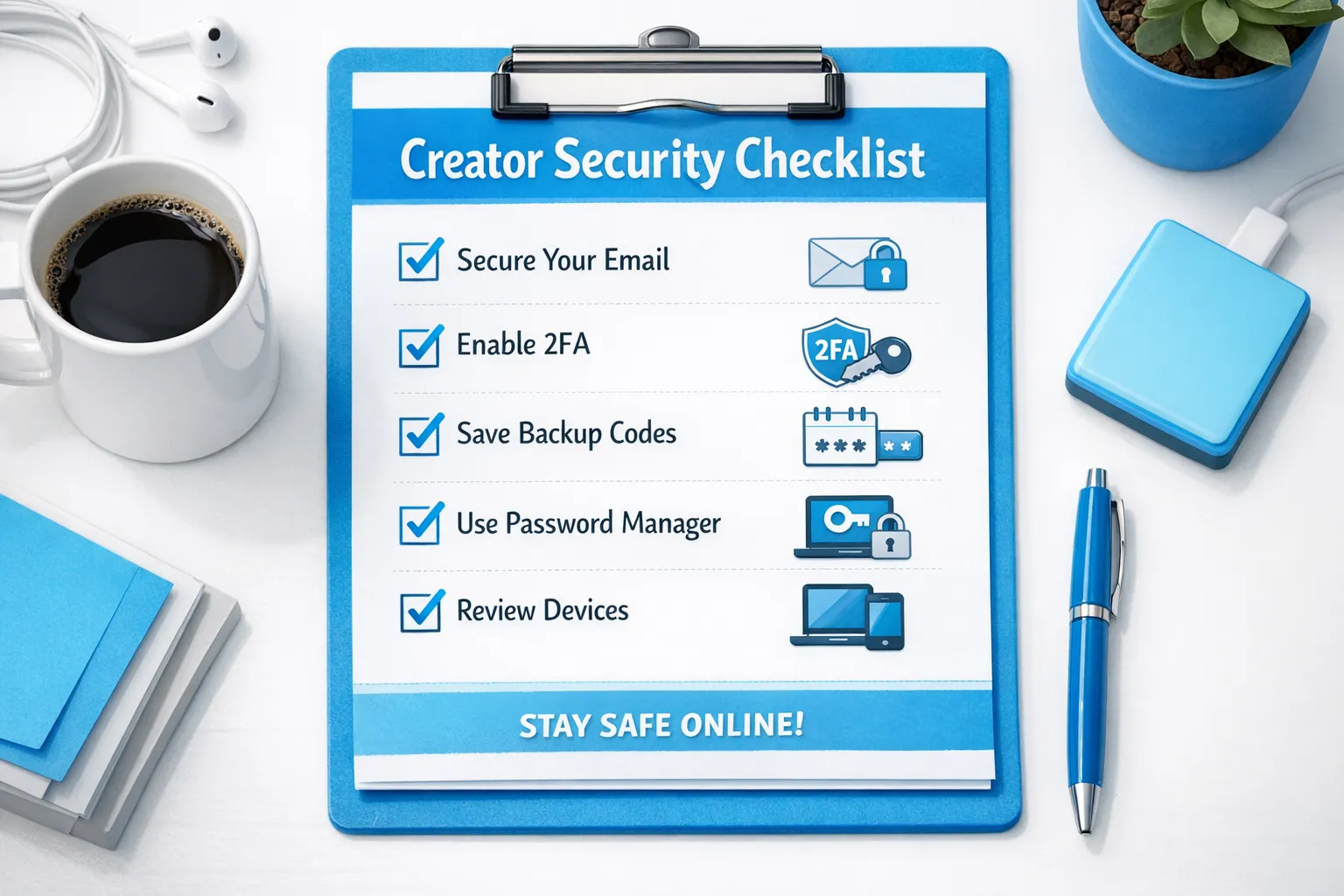
Before you enable 2FA: a 10-minute prep checklist
Do this first, so you don’t lock yourself out.
- Make sure you can access the email connected to your OnlyFans account (and that it’s secure).
- Update your password to something unique and long (a password manager makes this easier).
- Decide your 2FA method (authenticator app is usually safer than SMS if the platform offers it).
- Update your phone OS and remove any apps you don’t trust.
- Turn on a screen lock (PIN, Face ID, fingerprint).
- Plan where your backup codes will live (more on this below).
If you’ve ever outsourced chatting or got approached by “managers” in DMs, also read: OnlyFans scam patterns and how creators get robbed. Account security and partner vetting are connected.
Two-factor authentication setup for OnlyFans creators (step-by-step)
OnlyFans settings and screens can change, and availability of certain 2FA methods can vary by region and account type. Use the steps below as a reliable workflow, and verify the exact menu labels inside your account.
1) Log in from a device you trust
Use your own phone or personal laptop, on your home network or a trusted connection. Avoid public Wi-Fi while changing security settings.
2) Go to your account security settings
Look for a section like Settings, then Account, Security, or Two-Step Verification.
If you do not see it right away, search within settings for “2FA”, “two-factor”, or “verification”.
3) Choose the strongest available method
If OnlyFans offers an authenticator app option (TOTP codes), pick that.
If the only option available to you is SMS, it is still better than nothing, just treat your phone number as high-risk and protect it (see the SMS tips below).
4) Connect your authenticator app (if offered)
Typically, the platform will show:
- A QR code you scan with an authenticator app, or
- A manual “secret key” you paste into the app
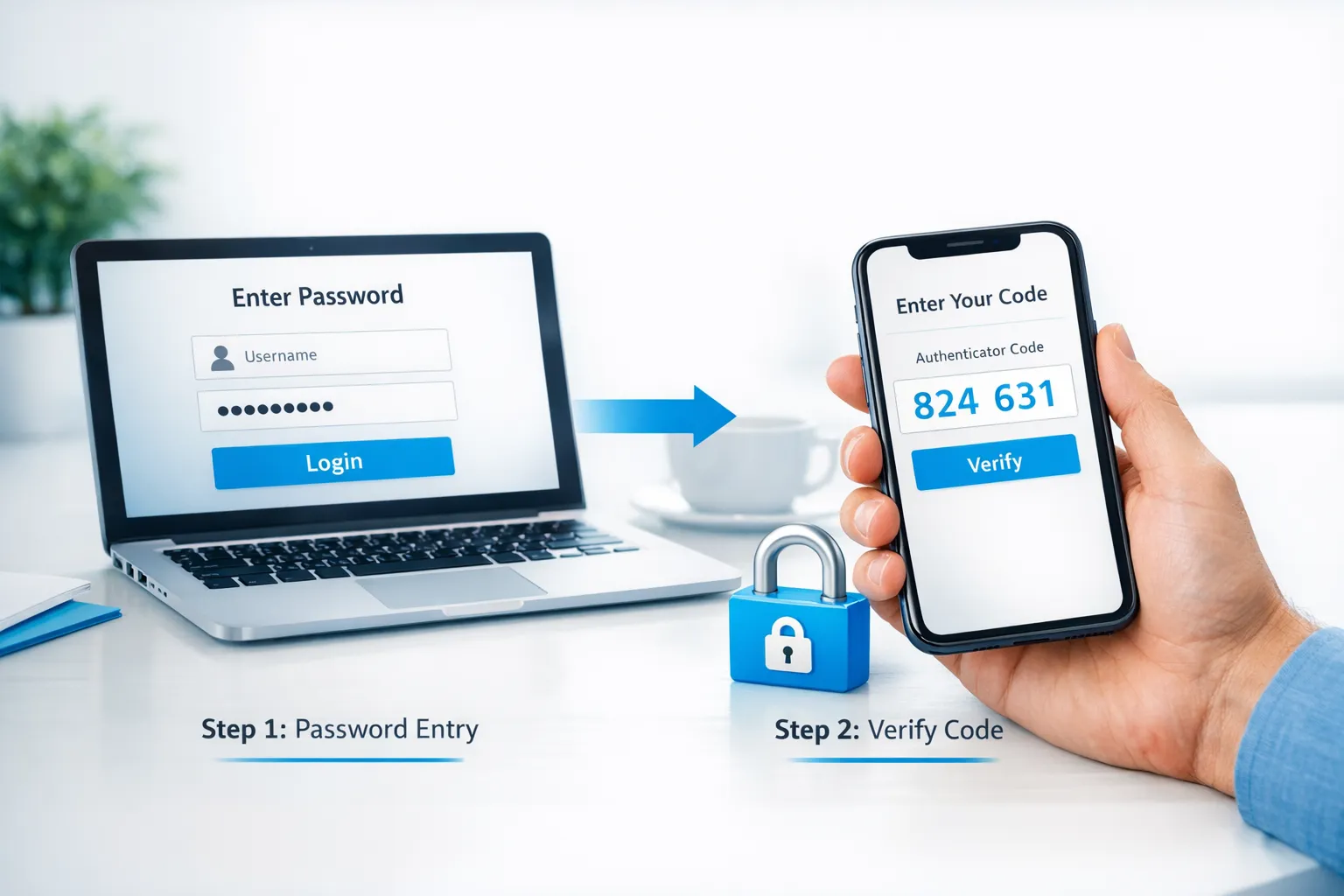
Your authenticator app will generate a 6-digit code that changes every 30 seconds. Enter the current code to confirm.
5) Save your backup codes immediately
Most 2FA systems provide backup codes (one-time codes you can use if you lose your phone). This step is not optional.
Best practice:
- Store them in a reputable password manager, or
- Print them and keep them somewhere private and physically secure
Do not:
- Save them in a Notes app without protection
- Screenshot them in your camera roll
- Send them to anyone you don’t fully trust
6) Confirm it works (before you log out everywhere)
Open a private browser window or log in on a second device and confirm you can successfully complete the 2FA flow.
7) Re-check recovery options
If OnlyFans offers recovery settings (recovery email, security questions, trusted device options), set those up right away.
Which 2FA method should creators choose?
If you have options, use this decision table:
| 2FA method | Security level | Creator-specific pros | Creator-specific risks | Best for |
|---|---|---|---|---|
| Authenticator app codes (TOTP) | Strong | Works without cell service, harder to hijack remotely | If you lose your phone and no backups, recovery can be painful | Most creators |
| Security key / passkeys (if offered) | Strongest | Very phishing-resistant | Extra hardware, can get lost | High-profile creators, no-face creators, big accounts |
| SMS codes | Medium | Easy to set up | SIM swap risk, travel issues, number changes | Creators who have no other option |
| Email codes | Varies | Convenient | If your email is compromised, it’s game over | Only as a last resort |
If your privacy is a major concern, you’ll also want to pair 2FA with tighter account boundaries. This guide can help: How to promote your OnlyFans without friends or family finding out.
If you work with an agency, manager, or chatter: keep 2FA without creating chaos
A lot of creators skip 2FA because they are afraid it will “break operations” if someone else helps with DMs.
Here’s the honest truth: if someone needs your login and you have no process, you are relying on trust instead of security.
A simple “secure access” policy that works in real life
Use this as your personal rule set:
- 2FA stays on your device. No one should permanently control your second factor.
- No one gets access to the email that controls your OnlyFans account. Ever.
- Passwords are shared only through a password manager (not screenshots, not text messages).
- If a teammate leaves, rotate passwords the same day. Treat it like changing locks.
- Agree on login windows. If your team needs to log in, you approve the 2FA prompt at planned times.
This is also where partner quality matters. If someone pushes you to disable 2FA, that is a red flag.
For a broader decision framework on outsourcing (and the tradeoffs around control), read: Working with an agency vs running OnlyFans alone.
If you’re faceless or high-privacy
No-face creators tend to be targeted more aggressively (because exposure is higher-stakes). Consider a stricter setup, including stronger device security and more aggressive leak monitoring.
Related: The best OnlyFans agencies for no-face creators.
Don’t stop at 2FA: the “creator security stack” (quick wins)
2FA is step one. These are the next highest-impact moves:
- Use a separate email address only for creator work.
- Lock down that email with 2FA too. Your email is the real “master key”.
- Use a password manager for unique passwords across OnlyFans, email, Reddit, X, Instagram, and any link hub.
- Watch for fake support messages. Never send codes or passwords to someone claiming to be “OnlyFans support”.
- Harden payouts and banking (name matching, correct details, fewer payout delays).
If you want a deeper ops-focused guide on avoiding payout disruptions, see: International payouts: how to avoid common delays.
Troubleshooting: the situations creators run into most
“I lost my phone”
Use your backup codes (if you saved them) and immediately reset 2FA once you regain access.
If you did not save backup codes, you may need to go through account recovery. Follow the platform’s official support process and expect identity verification.
“My codes don’t work”
For authenticator apps, incorrect codes are often caused by device time drift. Check that your phone time is set to automatic, then try again.
“I’m traveling and my SMS won’t arrive”
This is one reason authenticator apps are usually better for creators. If you must use SMS, plan ahead before traveling, and keep your backup codes accessible.
“Someone is trying to log in”
If you receive login prompts you did not initiate:
- Change your password immediately
- Check your email security and change that password too
- Review any available account sessions/devices and sign out of anything unfamiliar
- Consider pausing risky outsourcing until you understand what happened
Frequently Asked Questions
Should I use SMS 2FA for OnlyFans? If it’s the only 2FA option you have, yes, it’s still safer than no 2FA. If authenticator-app 2FA is available, it’s usually the better choice.
Where should I store OnlyFans backup codes? Ideally in a reputable password manager, or printed and stored somewhere private and secure. Avoid screenshots or unprotected notes.
Will 2FA stop leaks of my content? No. 2FA helps prevent account takeovers. Leak protection typically requires monitoring, takedown workflows, and preventative steps like watermarking.
Can I keep 2FA on if I have an agency or chatter? Yes, but you need a process. Keep 2FA controlled by you, share passwords only securely, rotate access when roles change, and treat “disable 2FA” as a red flag.
What’s the biggest mistake creators make with 2FA? Turning it on, but failing to save backup codes, or leaving their email unsecured. Your email is usually the real recovery path.
Want help setting up privacy-first security (plus growth)?
If you’re serious about protecting your account while you scale, it helps to have a team that treats security as part of the business, not an afterthought.
Lookstars is an OnlyFans management agency that supports creators with marketing and fan growth, 24/7 fan chatting, strategic posting management, leak protection (monitoring plus DMCA takedowns), and privacy-focused setup like country blocking and security guidance. There are no upfront costs and contracts are designed to be flexible.
If you want to explore what that can look like for your account, you can learn more here: Lookstars Agency.



Ready to transform your career?
Join hundreds of creators already earning six figures with Lookstars Agency.
Share this article
Best OnlyFans Agency
Europe's Leading OnlyFans Management Agency.

100% Free Ebook
Get our guide and unlock the secrets to OnlyFans success.
100% Free Ebook
Get our guide and unlock the secrets to OnlyFans success.
Free Revenue Calculator & Profile Analyzer
Try them for freeContinue reading...

Am I Attractive Enough for an OnlyFans Agency? The Answer

Can You Ever Fully Delete Your OnlyFans Content? The Reality
