OnlyFans Country Blocking: Setup and What It Affects
If you’re creating on OnlyFans and you care about privacy (especially if you’re a no-face creator, you have a public job, or you just don’t want your local a...
If you’re creating on OnlyFans and you care about privacy (especially if you’re a no-face creator, you have a public job, or you just don’t want your local area watching), country blocking is one of the first settings you should understand.
It can reduce the chance that people in specific countries can access your profile, but it’s not magic. It won’t stop leaks, it won’t stop screenshots, and it won’t fully protect you from someone determined (VPNs exist). What it can do is remove a huge amount of casual risk, fast.
This guide walks you through OnlyFans country blocking setup (in a way that still holds up when the UI changes) and, more importantly, what it affects, what it doesn’t, and the tradeoffs so you don’t accidentally block your own growth.
Note: This is educational guidance, not legal advice. Platform features and policies can change, so verify details in the official OnlyFans Help Center when you’re doing your setup.
What “country blocking” on OnlyFans actually does
Country blocking is a privacy setting that restricts access to your OnlyFans profile from specific countries.
In most cases, the platform determines a viewer’s country using location signals (commonly IP-based). When someone appears to be browsing from a blocked country, they generally won’t be able to view or subscribe to your page.
That’s the intent.
The reality is: it’s a strong friction layer against casual discovery (ex: coworkers, classmates, family friends browsing normally), but it’s not a guaranteed anonymity tool.
Who country blocking is for (and who it’s not for)
Country blocking is usually worth it if…
If any of these are true, it’s typically a smart move:
- You’re worried about family, coworkers, or people in your hometown finding you.
- You are a no-face creator and your main brand value is anonymity.
- You promote mostly to one “target market” (for many creators, that’s the US) and you don’t rely on your home country for income.
If you’re building a privacy-first setup, country blocking pairs well with the steps in How to Secretly Promote Your OnlyFans (Without Friends or Family Finding Out).
Country blocking might NOT be for you if…
Be honest with yourself here:
- A meaningful part of your paying fanbase is in the country you want to block.
- You’re a couples account and one partner’s family is abroad (travel + visiting patterns can complicate things).
- You do collabs, shoutouts, or niche marketing that relies on specific countries or languages.
Country blocking is a business decision, not just a safety decision.
OnlyFans country blocking setup (step-by-step)
OnlyFans updates layouts over time, so instead of promising an exact button path that might change, here’s the reliable process to follow.
Step 1: Decide what you’re trying to prevent
Before you touch settings, pick your goal:
- Reduce local discovery: block your home country (and sometimes neighboring countries if your audience overlaps).
- Control where you market: block countries you do not want to serve or cannot support.
- Regulation friction awareness: in some regions, new verification or restrictions can reduce buyer conversion. (If you’re dealing with market disruption, read Italy OnlyFans Age Verification: What Just Happened and How to Save Your Income.)
This clarity matters because blocking “too much” can silently shrink your reachable audience.
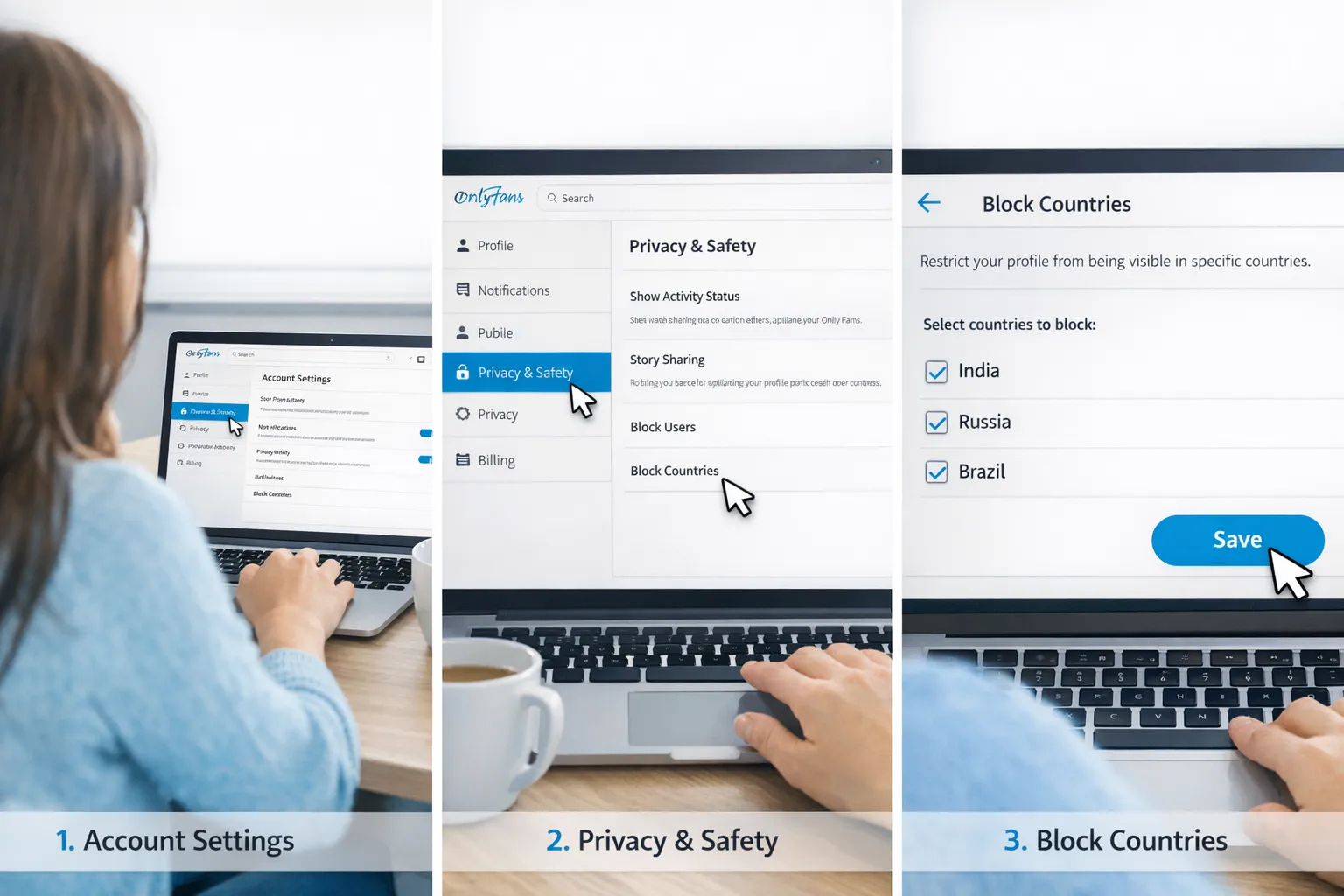
Step 2: Turn on country blocking in your privacy settings
On your OnlyFans account:
- Go to Settings.
- Find the section related to Privacy or Security.
- Look for an option like Block by country (wording can vary).
- Select the countries you want to block.
- Save changes.
If you can’t find it immediately, use the search inside settings (if available) and try keywords like “block,” “country,” or “privacy.”
Step 3: Do a basic “sanity check” (without doing anything sketchy)
You don’t need to overcomplicate testing.
- If you have a trusted friend abroad (or in the blocked region) who can safely check access, that’s the cleanest option.
- If you travel often, keep a note in your phone of what you blocked, so you remember why certain fans might disappear while you’re on a trip.
Be careful with constant login location changes or aggressive “testing” behaviors. Security systems (on any platform) can flag unusual activity.
What country blocking affects (and what it doesn’t)
This is the part creators wish they understood sooner.
What it affects
Country blocking can impact:
- Profile visibility: people in blocked countries generally cannot view your page.
- New subscriber acquisition: you are cutting off potential buyers from those regions.
- Promo funnel performance: if you post on global platforms (X, Reddit, TikTok), some of your “curious clickers” will hit a wall and bounce.
If you track promotion performance, blocking can also change how your links “feel” conversion-wise. You might see clicks that do not translate to subs simply because those viewers cannot access your page. This is why it’s smart to use tracking links (and label them clearly) as explained in OnlyFans Tracking Links Guide.
What it does NOT affect (common misconceptions)
Country blocking does not automatically:
- Stop content leaks.
- Prevent screenshots or screen recordings.
- Stop someone from accessing your page if they use tools that make them appear to be in a different location (for example, a VPN).
- Hide your content if it was already reposted elsewhere.
- Replace basic operational security (separate emails, usernames, metadata cleanup, strong passwords).
If your biggest fear is stolen content, you need a leak-response system, not just a geo setting. (This is why agencies like Lookstars include content leak monitoring + DMCA takedowns as part of management.)
Quick comparison: country blocking vs other privacy layers
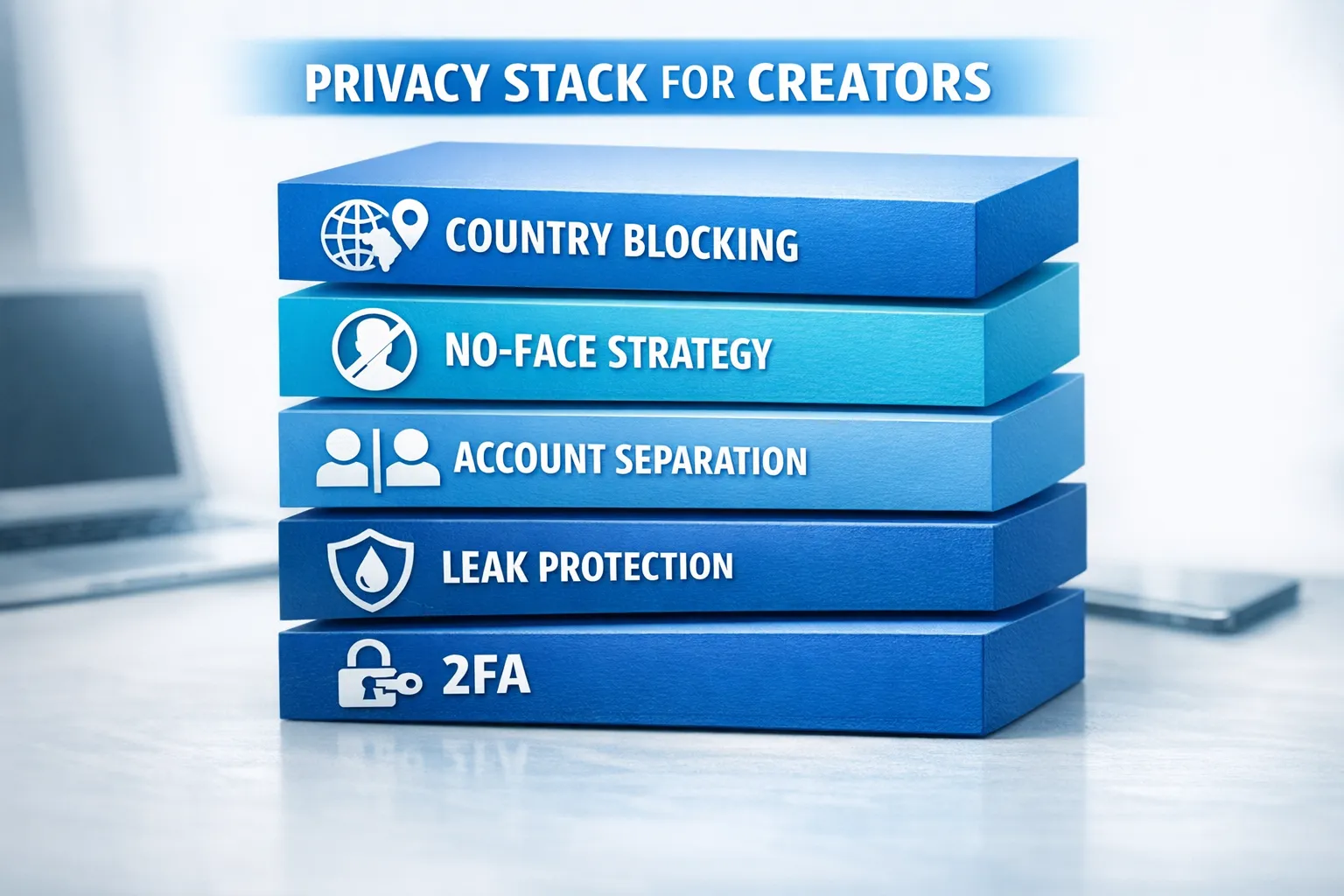
Country blocking is one layer in a stack. Here’s how it compares to the other layers creators use.
| Privacy layer | Helps with | Doesn’t solve | Best for |
|---|---|---|---|
| Country blocking | Reducing casual discovery in specific countries | Leaks, VPN access, screenshots | Teachers, nurses, corporate jobs, no-face creators |
| No-face content strategy | Harder identification from promo/content | Leaks still possible, body/room tells still identify | Anyone prioritizing anonymity |
| Separate online identities | Reduces linkability across platforms | Human mistakes (reused usernames) | All creators, especially beginners |
| Leak protection (monitoring + takedowns) | Reducing spread and search visibility of stolen content | Cannot guarantee full deletion everywhere | Creators scaling, higher exposure |
| Account security (2FA, device hygiene) | Preventing account takeover | Doesn’t stop fans from sharing | Everyone |
For a deeper faceless strategy, see How to Make Money on OnlyFans without Showing Your Face & Stay Anonymous.
The biggest tradeoff: privacy vs growth (a simple decision framework)
If you’re stuck between “I want privacy” and “I don’t want to kill my income,” use this simple framework.
| Your situation | Country blocking recommendation | Why |
|---|---|---|
| You have a high real-life risk (family nearby, strict workplace, community visibility) | Block your home country early | One setting can remove most casual discovery risk |
| You are already earning from your home country | Block selectively (or don’t block), then strengthen other layers | Blocking could cut off existing spenders |
| You market primarily to the US and English-speaking buyers | Block your home country + anywhere you don’t want attention | Keeps focus on higher-intent traffic you actually want |
| You rely on collabs with creators in your region | Avoid broad blocking, focus on boundaries and leak protection | Blocking can break collab funnels |
If you’re already making money and scaling, your best move is usually a layered approach: keep access where your buyers are, and strengthen safety everywhere else.
Common mistakes creators make with country blocking
Mistake 1: Blocking your home country, but forgetting “exposure neighbors”
If you live near a border or have lots of friends/family in nearby countries, blocking only one country might not match your real life risk.
Fix: think socially, not geographically.
Mistake 2: Blocking first, then trying to build a global promo strategy
If your TikTok or X audience becomes heavily international, you can end up paying (in effort) for traffic that cannot convert.
Fix: decide your target markets first, then block what you truly need to block.
Mistake 3: Treating country blocking like leak protection
Geo blocks reduce local discovery, but leaks spread globally.
Fix: add watermarks, tighten your content distribution habits, and have a takedown plan.
If leaks are already an ongoing issue, it may be time to get help from a team that does this daily as part of account management.
A “do this today” privacy checklist (15 minutes)
If you want immediate risk reduction, do these quickly:
- Turn on country blocking for the countries you consider high-risk.
- Review your username consistency across platforms (stop reusing personal handles).
- Enable 2FA on email and social accounts connected to your creator identity.
- Remove identifying details from promo (street signs, gym logos, school merch).
- Add subtle watermarks to anything you send in DMs.
If you want the full privacy-first workflow (accounts, promotion, and boundaries), start with How to Secretly Promote Your OnlyFans and then tighten your faceless strategy with the guide linked above.
FAQ
Does OnlyFans country blocking stop people in my country from finding me? It can significantly reduce casual discovery, but it’s not a guarantee. People can travel, use location tools, or see reposted content elsewhere.
Will country blocking remove my existing subscribers from that country? It can limit access for people browsing from blocked regions, but behavior may vary based on how a subscriber is accessing the site and what signals are used. If you’re worried about losing current buyers, test carefully before blocking large regions.
Can people bypass country blocking with a VPN? In many cases, yes. Country blocking is best treated as a strong filter against casual viewers, not a perfect shield.
Does country blocking protect me from leaks and repost sites? No. Leaks are a separate problem and usually require watermarks, monitoring, and takedown processes.
Should I block my home country if I’m a no-face creator? Often, yes, especially if your main goal is anonymity. For many faceless creators, it’s a high-value, low-effort safety step.
Can I block specific states or cities? OnlyFans settings are typically country-based, not city-based. If you need hyper-local privacy, focus on no-face strategy and identity separation.
Want a privacy-first setup without losing momentum?
Country blocking is a smart start, but most creators stay safest (and grow fastest) with a full system: privacy setup, leak protection, marketing, and 24/7 fan messaging working together.
If you want help building that system without upfront fees or long-term lock-ins, explore Lookstars OnlyFans management. We help creators with multi-platform growth, strategic posting, fan engagement, and privacy protection, so you can focus on creating content without feeling exposed all the time.



Ready to transform your career?
Join hundreds of creators already earning six figures with Lookstars Agency.
Share this article
Best OnlyFans Agency
Europe's Leading OnlyFans Management Agency.

100% Free Ebook
Get our guide and unlock the secrets to OnlyFans success.
100% Free Ebook
Get our guide and unlock the secrets to OnlyFans success.
Free Revenue Calculator & Profile Analyzer
Try them for freeContinue reading...

Am I Attractive Enough for an OnlyFans Agency? The Answer

Can You Ever Fully Delete Your OnlyFans Content? The Reality
