Is It Safe to Share Passport / ID With an Agency?
If an OnlyFans agency asks you to share your passport or ID, it’s normal to feel uneasy. Your ID is one of the most “high-risk” pieces of personal data you o...
If an OnlyFans agency asks you to share your passport or ID, it’s normal to feel uneasy. Your ID is one of the most “high-risk” pieces of personal data you own. The right approach is not “always yes” or “always no”, it’s only share it when it’s truly necessary, with the minimum details, through a secure process, after you’ve verified who you’re dealing with.
This guide walks you through when an ID request can be legitimate, what the real risks are, how to vet an agency, and how to share safely if you decide to move forward.
(This is educational, not legal advice. Privacy laws and platform policies can change. If you’re unsure, verify in official docs and consider speaking with a qualified attorney.)
Why an agency might ask for your passport or ID
First, separate two things that often get mixed up:
- OnlyFans account verification (KYC): OnlyFans typically collects your ID directly as part of verifying creators.
- Agency onboarding: An agency may request ID for its own reasons, not because OnlyFans requires the agency to have it.
An agency might claim they “need” your passport/ID for:
- Contracting: to confirm legal name, age, and identity for a signed agreement.
- Payments and bookkeeping: if they pay you (or invoice you) in a way that requires tax or compliance checks.
- Fraud prevention: to reduce the risk of working with impersonators.
Those reasons can be legitimate in some contexts. The bigger question is: does that require a full passport scan sent over DM today? Usually, no.
The real risks (and why creators get burned)
Sharing ID isn’t automatically unsafe, but the downside is heavy if something goes wrong. Here’s what creators commonly underestimate:
- Identity theft and financial fraud: A clear scan of a passport or driver’s license can be used to open accounts or attempt SIM swaps.
- Doxxing and exposure: Your legal name, DOB, address (depending on the document) can be weaponized.
- Blackmail dynamics: In the adult space, bad actors may use personal documents as leverage.
- Data breaches: Even “legit” companies can have weak storage practices.
- “Stacked verification” scams: Some scammers collect ID + selfie + your OnlyFans login, then attempt account takeover.
If you want a broader overview of common agency scams and how creators get robbed, read this too: OnlyFans agency scam patterns and how to stay safe.
Quick decision framework: should you share your ID?
Use this simple rule: Don’t share ID unless you can clearly answer “why”, “how”, and “what happens after”.
Ask yourself (and the agency) these four questions:
1) What is the exact purpose?
If they can’t explain the purpose in one sentence, that’s your answer.
Good: “We require ID to verify age and legal name for the contract file.”
Bad: “We need it for OnlyFans.” (OnlyFans verifies creators directly, so this is at least a yellow flag.)
2) What’s the minimum data needed?
A serious partner follows “minimum necessary” collection.
If they insist on collecting everything (full scan, front and back, selfies holding ID, your address, plus extra), ask why each piece is required.
3) How will it be stored and who can access it?
You’re not being “difficult”, you’re being professional.
You want clarity on:
- Where it’s stored (secure drive, encrypted storage)
- Who can access it (limited roles, not “everyone on the team”)
- How long they retain it
- How deletion works if you leave
4) Is there a safer alternative?
Sometimes you can provide:
- A redacted copy (masking nonessential fields)
- A different document type
- A video call identity check (show ID briefly without sending a copy)
If an agency refuses any alternative and pushes urgency, treat it as a risk.
What’s reasonable vs a red flag (use this table)
| Agency request | When it can be reasonable | When it’s a red flag |
|---|---|---|
| “We need ID for contracting” | After you’ve had a real call, reviewed terms, and agreed to proceed | Before any call, or before you’ve even seen a contract |
| “Send a passport photo on Telegram/WhatsApp” | Almost never (high-risk channels for sensitive docs) | Pushing DMs, disappearing messages, or personal accounts |
| “We need a selfie holding your ID” | Only if clearly justified and handled securely | Used as a blanket demand with no data policy, or paired with pressure tactics |
| “We need your OnlyFans login too” | An agency may need account access to manage operations, but there are safer ways to set this up | If they demand credentials immediately, or discourage 2FA and security controls |
| “We’ll keep it on file” | If retention and deletion are defined in writing | If they refuse to put retention, storage, and deletion in writing |
For more vetting criteria beyond ID requests, see: 6 red flags before signing with an OnlyFans agency.
How to share your passport/ID more safely (if you decide to)
If you’ve verified the agency and you genuinely want to move forward, don’t send ID casually. Treat it like sending banking information.
Use this “safe ID sharing” checklist
- Do a live call first (video is better). Confirm the company name, team roles, and where they’re based.
- Get the request in writing: what they need, why they need it, and where to send it.
- Send through a secure channel:
- Prefer a secure upload link or encrypted file transfer.
- Avoid sending in social DMs (Telegram, Instagram DMs, Snapchat) when possible.
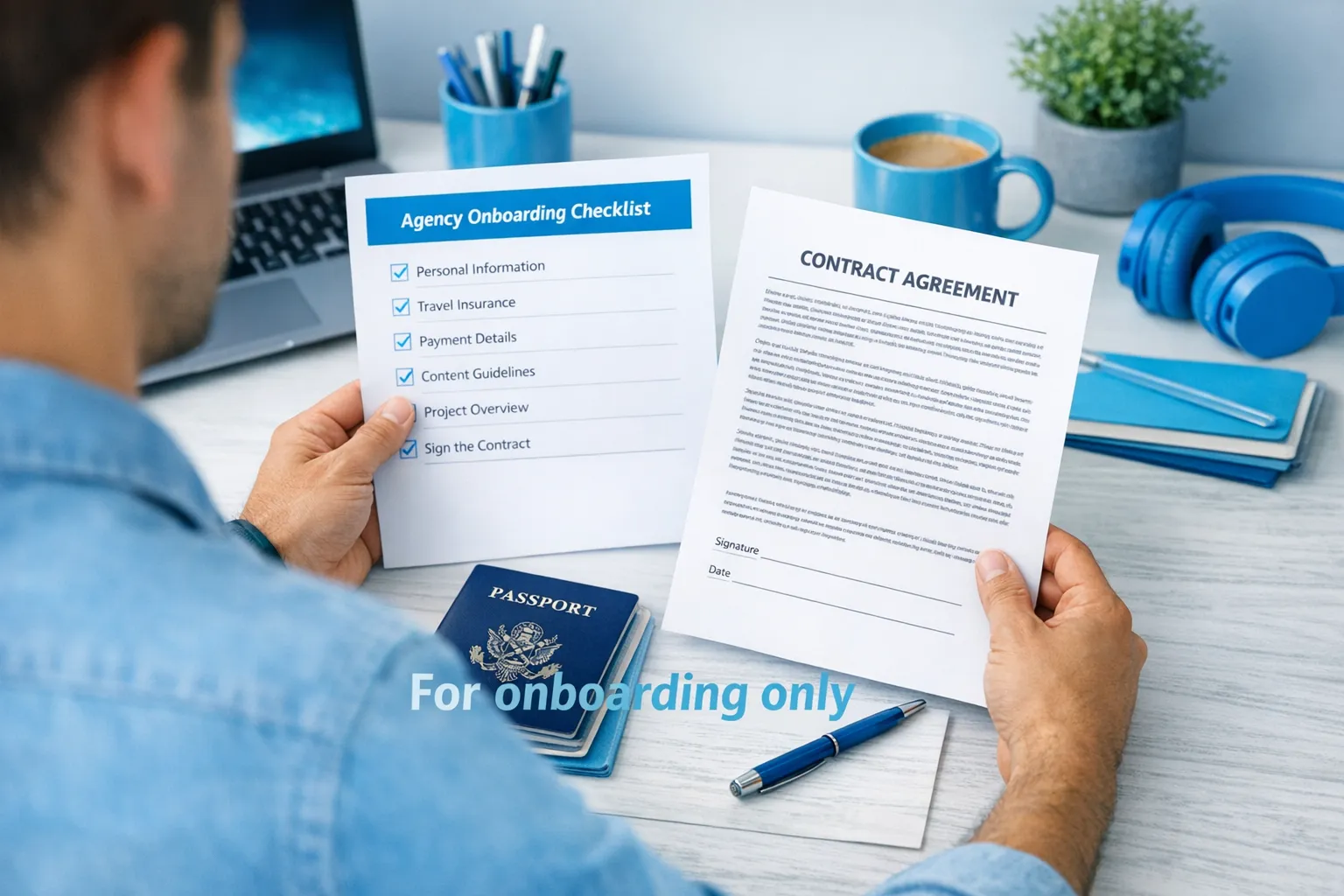
- Watermark the image (this matters): Add text like “For Lookstars onboarding only, DATE” across the image.
- Redact what you can: Only redact fields if they’re not required for the stated purpose (example: some contracts may require full legal name, but may not require your document number). If they truly need unredacted, ask why.
- Password-protect the file: Send the password via a different channel than the file.
- Ask for confirmation and a retention policy: Who received it, where it’s stored, when it will be deleted.
A practical boundary: don’t “bundle” ID with account takeover risk
If someone asks for:
- ID scan
- Your OnlyFans login
- Your email login
- A selfie holding the ID
…in the same rushed onboarding, pause. That’s exactly the “stack” scammers use for takeover and leverage.
If you’re considering outsourcing access and operations, this comparison can help you choose the least risky model for your situation: working with an agency vs running OnlyFans alone.
Copy/paste message: what to ask before you send anything
Send this (and judge the quality of the response):
“Before I share any ID, can you confirm:
- Exactly what document you need (passport, driver’s license, other) and why
- Where I should upload it (secure link/email) and who receives it
- How it’s stored (encryption/secure drive) and who has access
- How long you retain it and how deletion works if we don’t move forward
- Whether you can accept an alternative (redacted copy or video call verification)
I’m happy to proceed once I understand the process.”
A legitimate agency will not get offended by this. They’ll respect you more.
Agency legitimacy checks that matter (before ID)
You don’t need to become a private investigator, but you should do basic due diligence.
Minimum checks
- Real call with a real person: If they refuse calls, that’s a major warning sign.
- Clear contract terms: revenue split basics, services, who chats, exit terms.
- Operational transparency: what exactly they do (marketing, chatting, posting strategy, leak protection) and what they don’t do.
If you want a scam-focused breakdown, start here: OnlyFans agency scam guide.
If you’re privacy-focused (faceless, strict boundaries, worried about family finding out), this is also relevant: how to promote your OnlyFans without friends or family finding out.
If you already sent your ID and now regret it
Don’t panic. Act fast and stay practical.
- Ask for deletion in writing: Request confirmation once it’s deleted and ask where it was stored.
- Stop sending more information: Don’t “complete the set” with selfies, extra documents, or logins.
- Secure your accounts:
- Change passwords (email first, then OnlyFans, then socials)
- Turn on 2FA everywhere
- Check recovery email/phone numbers
- Watch for financial and SIM risks: If your country supports it, consider stronger SIM security or a carrier PIN.
- Document everything: screenshots, emails, names, dates. If something escalates, you’ll be glad you did.
Where Lookstars fits (and what to ask us directly)
Lookstars is an OnlyFans management agency that supports creators with marketing and fan growth, 24/7 chatting, posting strategy, and privacy protection like leak monitoring/DMCA takedowns and country blocking.
Even with a reputable partner, you should still ask the same privacy questions in this article. If you’re considering applying, start here and ask about the ID process before you share anything: Lookstars Agency review (honest pros, cons, results).
If you want to explore working together, you can reach out via the website: Lookstars Agency.
Bottom line
- It can be safe to share passport/ID with an agency, but only if the agency is verified, the request is truly necessary, and the handling process is secure.
- Your safest stance is: minimum necessary data, secure delivery, written retention/deletion, no rush.
- If an agency pressures you, refuses basic transparency, or asks for ID in sketchy channels, trust that signal and walk away.


Ready to transform your career?
Join hundreds of creators already earning six figures with Lookstars Agency.
Share this article
Best OnlyFans Agency
Europe's Leading OnlyFans Management Agency.
100% Free Ebook
Get our guide and unlock the secrets to OnlyFans success.
100% Free Ebook
Get our guide and unlock the secrets to OnlyFans success.
Free Revenue Calculator & Profile Analyzer
Try them for freeContinue reading...
Am I Attractive Enough for an OnlyFans Agency? The Answer
Can You Ever Fully Delete Your OnlyFans Content? The Reality