How to Withdraw Money from OnlyFans in Australia
Withdrawing your OnlyFans earnings in Australia is usually straightforward, but the details matter. One small mismatch (like your legal name, bank details, o...

Withdrawing your OnlyFans earnings in Australia is usually straightforward, but the details matter. One small mismatch (like your legal name, bank details, or verification status) can turn a “quick cash-out” into a week of waiting and support emails.
This guide walks you through how to withdraw money from OnlyFans in Australia, what information you will need for Aussie banks, what delays are normal, and how to troubleshoot the most common payout issues.
Before you withdraw: 3 things that affect your payout
1) Your balance has to be “available”, not just “pending”
OnlyFans earnings typically move through stages (for example: pending, then available). If your money is still pending, you may not be able to withdraw it yet.
If you are new, this is one of the most common “I can’t withdraw” reasons, and it does not necessarily mean something is wrong.
2) Your account must be fully verified (and sometimes re-verified)
OnlyFans requires creators to complete identity verification to earn and withdraw. If you are stuck at withdrawal, double-check that:
- Your creator account is approved
- Your identity checks are completed
- Any requested tax or compliance forms are submitted
Policies can change, so if anything looks different in your settings, confirm in the official OnlyFans Help Center.
3) Payment methods vary by country and can change
In Australia, you will typically see at least one bank transfer option, but payout options depend on what OnlyFans currently supports in your account and region.
If you do not see the method a friend has, it is usually a country availability or account status issue, not you doing something wrong.
How to withdraw money from OnlyFans in Australia (step-by-step)
The exact menu labels can shift as the platform updates, but the flow stays similar.
1) Go to your payout settings
In your OnlyFans account:
- Open Settings
- Find Payout / Banking / Withdrawals (wording can vary)
You should see your current balance and the section to add or manage a payout method.
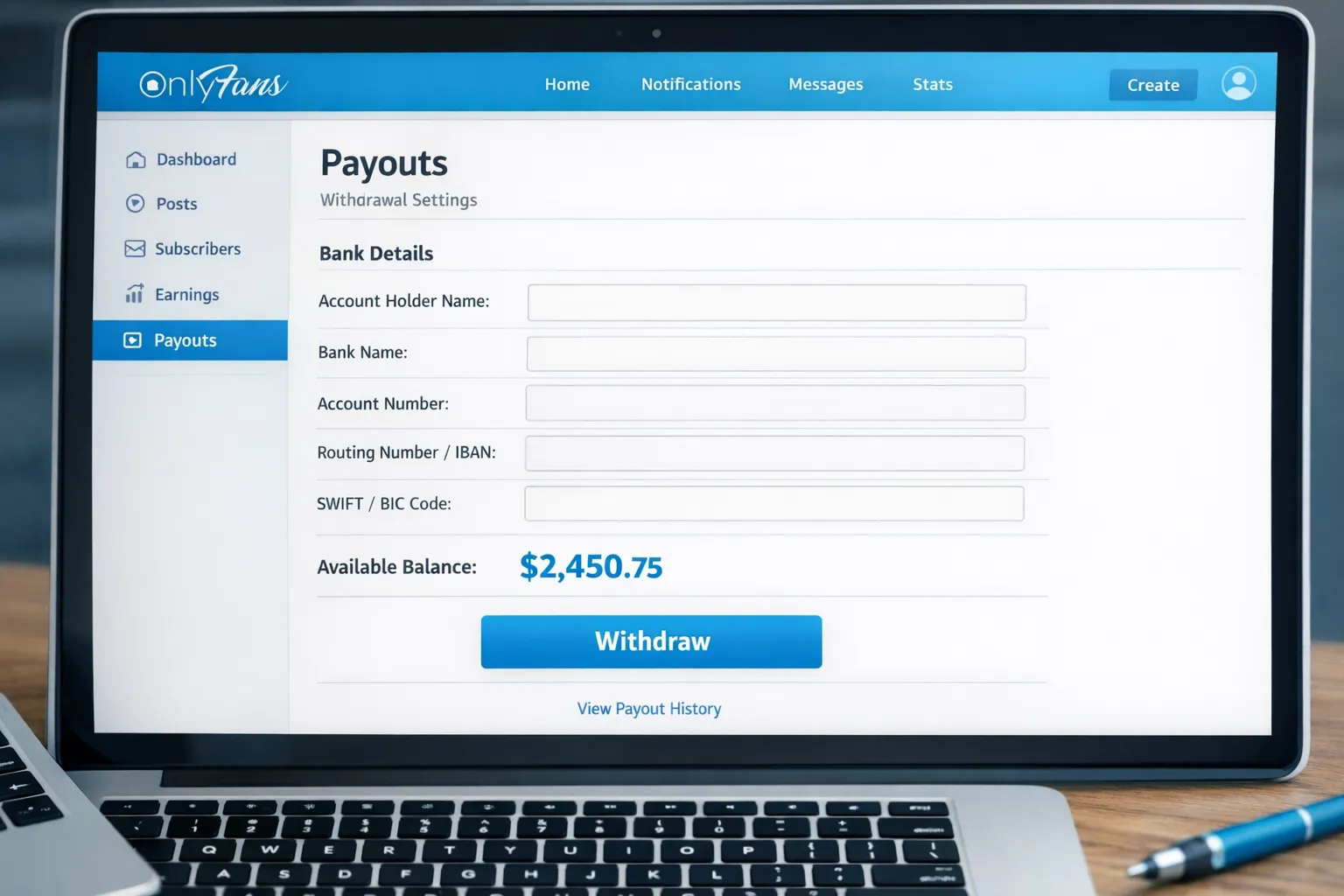
2) Add a payout method
Choose the payout method available to you and enter the required information.
For Australian bank transfers, you will usually need details like:
- Account holder name (must match your verified identity/legal name)
- BSB
- Account number
- Sometimes additional information for international transfers (such as SWIFT/BIC)
Tip: if your bank account is in a business name but your OnlyFans is verified to your personal name (or vice versa), that mismatch can trigger failed payouts.
3) Confirm your personal details match exactly
This is the quiet payout killer.
Make sure the following match across your OnlyFans verification and bank details:
- Full legal name (including middle name if it appears on your bank)
- Country of residence
- Date of birth
If you recently changed your legal name, update your banking and verification before you attempt another withdrawal.
4) Request the withdrawal
Once your payout method is saved:
- Enter the amount you want to withdraw
- Confirm the withdrawal
OnlyFans may have a minimum withdrawal threshold. If your withdrawal button is greyed out, check whether your available balance is below the minimum for your payout method.
5) Track the withdrawal status
Most platforms show a payout history or transaction list where you can see whether the withdrawal is:
- Processing
- Completed
- Rejected/failed
If it is processing, allow for bank processing time (especially for international transfers). Weekends and public holidays in Australia can also slow arrival.
Which payout method is best in Australia? (Quick comparison)
OnlyFans payout options can vary, but these are the most common categories creators run into.
| Payout option (what you may see) | What it usually requires | Best for | Watch-outs for Australians |
|---|---|---|---|
| Bank transfer (to Australian bank) | Legal name match, BSB + account number (and sometimes SWIFT/BIC) | Most creators who want simplicity | Incoming international transfer fees, FX conversion margin, occasional longer processing |
| Payment wallet (if available in your account) | Account with the provider, identity checks | Faster access in some cases | Extra fees, provider availability changes, still may need a bank transfer to reach AUD |
| Agency-managed payouts (separate arrangement) | A management agreement and clear payout terms | Creators who want predictable ops and less admin | Only safe with transparent terms and a reputable partner |
If you are considering management support for the business side (including consistent operations and clearer workflows), read this first: When to Hire an OnlyFans Management Agency.
Fees and exchange rates: how Australians lose money without noticing
Even if OnlyFans pays you “in full”, you can still lose money on the way into Australia.
Common fee points
- International transfer fees charged by your bank
- Intermediary bank fees (happens with some international routes)
- Exchange rate spread (the difference between the true mid-market rate and what your bank applies)
How to reduce the damage (without doing anything sketchy)
- Ask your bank what they charge for incoming international transfers and what their typical FX margin is.
- Consider keeping a separate bank account dedicated to creator income, so you can track fees cleanly.
- Withdraw less frequently if your bank charges a flat incoming fee per transfer (but balance this with your cash flow needs).
Withdrawal problems Australian creators hit (and how to fix them)
Problem: “Withdraw” button is unavailable
Most likely causes:
- Your balance is still pending
- You have not hit the minimum withdrawal amount
- Your account is missing a required verification step
What to do: Check your balance breakdown (available vs pending) and your verification status. If anything is unclear, confirm via the OnlyFans Help Center.
Problem: Withdrawal failed or got rejected
Most likely causes:
- Name mismatch between bank account and verified identity
- Incorrect BSB/account number
- Missing required bank fields for your transfer type
What to do: Re-enter your bank details carefully (copy directly from your bank app where possible). If you have a second account at a different bank, testing a small withdrawal can help isolate whether it is a bank-side issue.
Problem: It says “completed” but you do not see money in your bank
Common reasons:
- Bank processing time (especially if it is an international transfer)
- Weekend/holiday delays
- Funds held for review by the bank (rare, but it happens)
What to do: Wait a reasonable business-day window, then contact your bank first. Ask whether an incoming transfer is pending, and whether they need extra info to release it.
Problem: Support is slow and you are stressed
That feeling is valid. Try to approach it like a business ops issue:
- Screenshot the withdrawal status
- Note the date, amount, and method
- Prepare your last 4 digits of account number (do not send full bank details in insecure channels)
If your payouts are frequently delayed, it is a sign to tighten your setup and documentation, not a sign you are “bad at this”.
Australia-specific checklist: set yourself up for smooth payouts
Use this once, and you will save yourself hours later.
- Your OnlyFans verification name matches your bank account name exactly
- Your Australian bank details are correct (BSB + account number)
- You understand your bank’s incoming international transfer fees and FX conversion
- You have a separate folder (or spreadsheet) to track payouts, fees, and dates
- You keep a buffer in your business budget (so one delayed payout does not wreck your week)
Taxes and recordkeeping in Australia (simple, non-scary version)
Australia can be strict about income reporting, and adult creators are not “excluded” from normal rules.
This is educational, not legal or tax advice. Laws and policies can change. Verify with official sources or a qualified professional.
What to save for your accountant (or future you)
- Payout confirmations (date, amount, method)
- Bank statements showing deposits
- Business expenses (equipment, props, editing tools, subscriptions, home office if applicable)
- Notes on any chargebacks or refunds
If you are unsure where to start, the Australian Taxation Office (ATO) is the safest place to read general guidance, then you can bring your specific situation to an accountant.
Privacy note: what your bank statement might show
A lot of Australian creators worry about whether “OnlyFans” will appear on statements.
Statement descriptors can vary depending on the payment processor and method, and they can change over time. The safest plan is:
- Use a separate bank account for creator income
- Assume any shared financial access (partners, family members on joint accounts) could see deposits
For broader privacy strategy (not just payouts), this guide helps: How to Secretly Promote Your OnlyFans (Without Friends or Family Finding Out).
If withdrawals are easy but running everything else is not
Withdrawing money is the last step. The harder part for most girls is building consistent traffic, converting DMs, and protecting content once you scale.
If you are at a point where you can earn, but you are:
- overwhelmed by DMs and upsells
- tired of constantly thinking about promo
- dealing with leaks or impersonators
- stuck at the same monthly number
…that is usually an operations problem, not a “you” problem.
Lookstars is an OnlyFans management agency that helps creators with marketing, 24/7 fan chatting, posting strategy, privacy setup, and content leak protection, with no upfront costs and flexible contracts. If you are comparing help options, read these first so you can make a safe decision:
- 6 Red Flags to Watch Out for Before Signing with an OnlyFans Agency
- OnlyFans Scam: How Agencies, Managers and Chatters Rob the Creators
If you want to stay solo, that is completely valid. Just treat payouts, tracking, and documentation like part of your creator routine, because that is what keeps your income stable.



Ready to transform your career?
Join hundreds of creators already earning six figures with Lookstars Agency.
Share this article
Best OnlyFans Agency
Europe's Leading OnlyFans Management Agency.

100% Free Ebook
Get our guide and unlock the secrets to OnlyFans success.
100% Free Ebook
Get our guide and unlock the secrets to OnlyFans success.
Free Revenue Calculator & Profile Analyzer
Try them for freeContinue reading...

Am I Attractive Enough for an OnlyFans Agency? The Answer

Can You Ever Fully Delete Your OnlyFans Content? The Reality
