How to Stay Anonymous on OnlyFans in 2026 (Complete Step-by-step Guide)
Staying anonymous on OnlyFans in 2026 is absolutely possible, but it is not “one setting.” It’s a system. The creators who stay private long-term usually do ...
Staying anonymous on OnlyFans in 2026 is absolutely possible, but it is not “one setting.” It’s a system. The creators who stay private long-term usually do two things well: they separate identities on purpose and they reduce little “breadcrumbs” (usernames, metadata, backgrounds, voice, leaks, payments) that can connect the dots.
This guide walks you through a practical, step-by-step setup you can follow in a weekend, plus the ongoing habits that keep you safe.
Important note: OnlyFans (and other platforms) generally require identity verification for creators. This guide is about staying anonymous to the public (fans, friends, coworkers), not bypassing verification. Platform policies and local laws can change, verify details in official docs.
Step 0: Pick your anonymity level (because “anonymous” means different things)
Before you change anything, decide what you’re protecting against. This is your threat model.
The 3 common anonymity goals
Level 1: Anonymous to fans (but not to the platform) You use a stage name, don’t share personal info, and avoid identifiable content. Most creators fit here.
Level 2: Anonymous to friends, family, coworkers You also block regions, avoid mainstream social crossovers, and lock down your personal digital footprint.
Level 3: High-risk anonymity (stalker/ex-partner/public figure) You treat it like operational security: stricter device separation, more conservative promo choices, faster leak response, and extra boundary enforcement.
If you want the shortest decision framework: the more you need Level 2 or 3, the more you should avoid “identity-adjacent” promotion (personal Instagram, showing face, recognizable home background).
Step 1: Create a clean identity separation (1 to 2 hours)
Most “I got found” stories come from identity reuse, not hacking.
1A) Build a creator identity that never touches your real identity
- Choose a stage name that is not a variation of your real name.
- Create a new email only for creator work.
- Create new social accounts for promo (even if you promote mostly on Reddit/X).
- Never reuse:
- old usernames
- old profile photos
- old bios or catchphrases that people recognize
If you need help choosing something memorable that does not connect back to you, use this internal guide: Best OnlyFans name ideas.
1B) Lock down your personal accounts (quietly)
You’re trying to prevent accidental overlap.
- Turn off contact syncing on personal social apps (where possible).
- Consider tightening privacy on personal accounts (friends-only, hide phone/email).
- Avoid posting identifiable “real life” details in the same time windows you post promo.
Step 2: Device + account security setup (30 to 60 minutes)
This is where you prevent takeovers and reduce “oops” mistakes.
2A) Use a password manager + unique passwords
- Use unique passwords for email, OnlyFans, and every promo platform.
- A password manager is the easiest way to do this well.
2B) Enable 2FA everywhere you can
2FA reduces account takeover risk significantly. Prefer authenticator apps over SMS when possible.
2C) Keep team access “risk-first”
If you ever work with a manager, agency, chatter, editor, or VA, your anonymity can rise or fall based on their processes.
- Ask who will have access to what.
- Agree on “no personal info ever in DMs” rules.
- Use least-privilege access where possible.
If you are considering outsourcing, read this first: OnlyFans scam: how agencies, managers and chatters rob creators (and how to stay safe).
Step 3: OnlyFans privacy settings that actually matter (30 minutes)
Settings help, but they are not magic. Think of them as one layer.
3A) Country blocking (use it, but understand the limits)
Country blocking can reduce the chance of local discovery. It is most useful for:
- hiding from your home country
- avoiding specific regions where you’re known
Limits to remember:
- It does not stop someone from traveling.
- It may not stop reposts, leaks, or screenshots.
- It cannot protect you if you promote from personal accounts.
3B) Keep your profile information intentionally vague
Avoid:
- hometown
- workplace hints
- niche phrases tied to your local identity (“your city’s girl,” specific school references)
Step 4: Content anonymity (this is where most creators slip)
Anonymous content is not just “no face.” It’s anything identifiable.
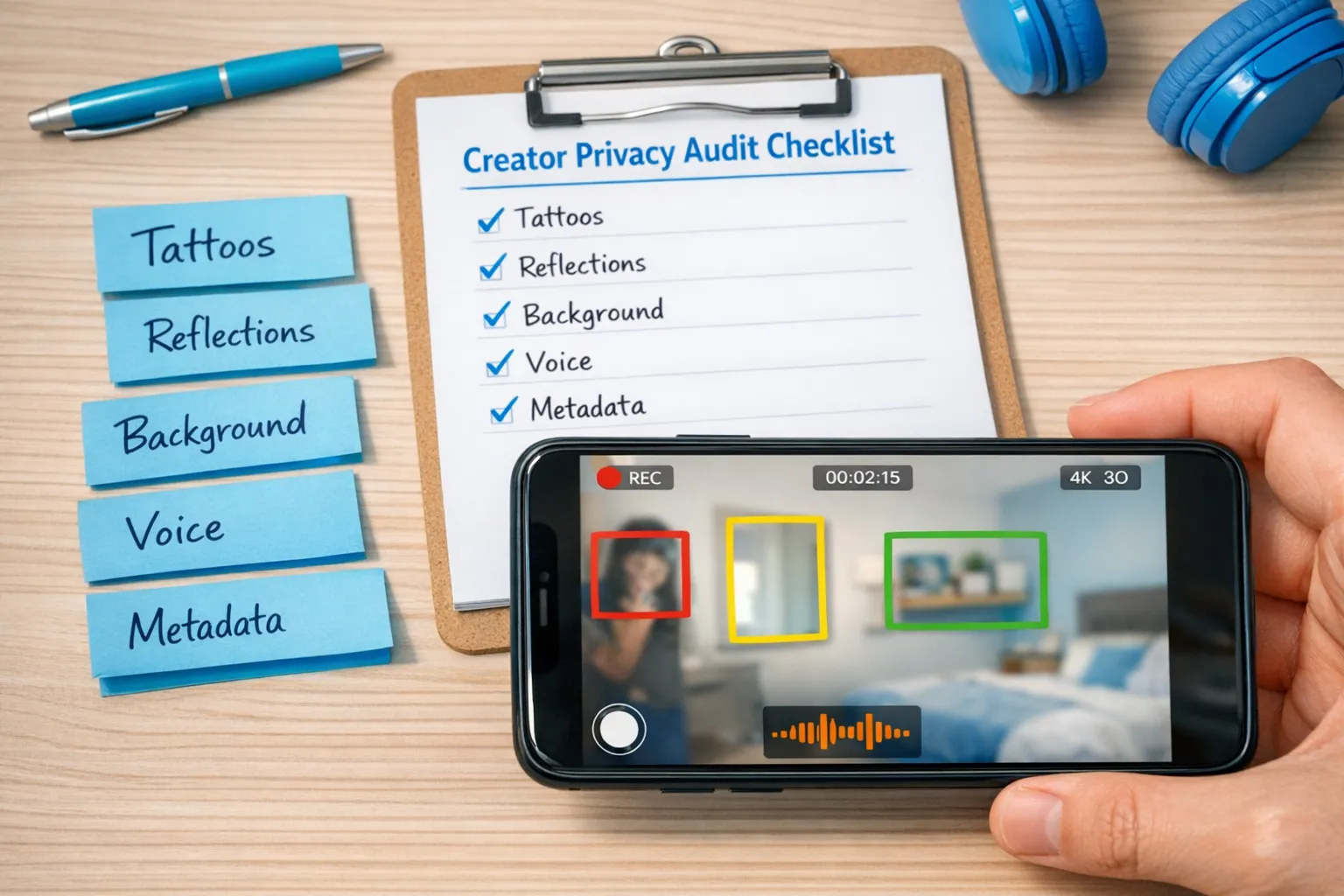
4A) Do a “recognition audit” before you shoot
Check these high-risk identifiers:
- Tattoos, birthmarks, scars
- Unique jewelry (especially sentimental items)
- Distinctive nails that friends recognize
- Background details (family photos, mail, diplomas, street views)
- Mirrors and reflections (including shiny furniture)
- Voice (if you do audio)
A lot of creators underestimate how recognizable a room can be.
4B) Plan your “anonymous look” like a brand
You want consistency without giving away identity.
Examples that can work for anonymity-focused creators:
- neck-down framing (clean, repeatable angles)
- masks, wigs, or styled hair that never appears in real life
- consistent lighting that reduces identifiable facial detail
- POV angles and close-ups
If you want a deeper walkthrough, this internal guide is built specifically for faceless creators: How to make money on OnlyFans without showing your face.
4C) Remove metadata (EXIF) from anything you upload off-platform
Photos and videos can contain metadata (like device info, timestamps, sometimes location history depending on settings and workflow). Some platforms strip metadata on upload, others do not, and workflows change.
Safer approach:
- Disable location tagging in your camera settings.
- Strip metadata before posting teasers externally.
For a creator-friendly overview of metadata risk, the EFF’s Surveillance Self-Defense is a solid starting point.
Step 5: Anonymous promotion strategy (without accidentally doxxing yourself)
The biggest privacy tradeoff in 2026: the fastest growth channels are often the least anonymous (especially if they connect to your personal identity).
5A) Use promotion channels that support anonymity
Many anonymous creators lean on:
- Reddit (niche communities, no need for real identity)
- X (Twitter) for adult-friendly promotion (still requires discipline)
If you want a step-by-step playbook for promoting while staying hidden from people you know, use: How to secretly promote your OnlyFans (without friends or family finding out).
5B) Never cross-post from your personal phone gallery
This sounds obvious, but it’s one of the most common mistakes.
Build a simple workflow:
- Save creator content in a dedicated folder (or dedicated device).
- Never mix personal photos into the same album you use for uploading.
5C) Avoid username “fingerprints”
If someone searches your stage name and finds old accounts, you have a link.
- Use a consistent stage name across creator platforms.
- Make sure the stage name is not connected to any older personal handles.
5D) Track links without oversharing
Tracking links help you figure out what promotion works, but keep naming conventions private. For example, avoid labels like “hometown gym” or “work friend group.”
Guide: OnlyFans tracking links.
Step 6: Money, taxes, and “paper trail” privacy (don’t ignore this)
This is where many creators get surprised: you can be anonymous to fans and still not anonymous in banking and tax contexts.
This is educational, not legal or tax advice. Laws and reporting requirements change. Verify with official sources or a qualified professional.
6A) Decide what “private” means for you
Ask yourself:
- Who must not see this (partner, parents, employer)?
- Where could they see it (bank statements, mail, shared devices, tax documents)?
6B) Reduce “shared household” exposure
- Use separate login and device locks.
- Opt out of shared photo streams.
- If you receive mail at home, think through who opens it.
If you want a simple system to stay organized without panic later, see: OnlyFans taxes: weekly habit to stay organized.
Step 7: Leak prevention and response plan (because prevention is not enough)
Even with perfect anonymity, leaked content can still happen. Your goal is to:
- reduce leak likelihood
- detect leaks early
- take action fast
7A) Basic leak prevention habits
- Use subtle watermarks on teaser content (so reposts still point back to your stage identity, not your real one).
- Keep explicit content behind paywalls.
- Be careful with collaborators (only work with verified, consent-based processes).
7B) Your “if I get leaked” checklist
Save this somewhere accessible.
- Screenshot and document URLs (do not rely on “I’ll find it later”).
- Identify what was leaked (teaser vs paid content, face vs no-face, identifying details).
- Start takedown steps (many sites have reporting forms, processes vary).
- Rotate passwords and confirm 2FA if you suspect account compromise.
If you want professional support here, leak monitoring and takedowns are commonly included in full-service management. Lookstars, for example, lists content leak protection (monitoring + DMCA takedowns) as part of its creator support, but always ask what is included, response times, and what happens if a leak spreads.
For general background on DMCA basics (US-focused), you can reference the U.S. Copyright Office DMCA overview.
Step 8: Boundaries that protect your anonymity in DMs
Fans will ask questions that feel harmless but can identify you.
A simple “privacy boundary” script you can copy
Use a polite, consistent response so you don’t have to improvise:
Copy/paste template:
“I love chatting with you, but I keep a strict line between my personal life and my page. I don’t share my real name, location, or private socials. What should we play with next on here?”
This does two things:
- It protects you.
- It redirects the conversation back to paid interaction and fantasy.
The anonymity system, summarized (use this table as your audit)
| Risk area | How creators get identified | Strongest mitigation |
|---|---|---|
| Username reuse | Old handles connect stage name to real accounts | New stage identity, no reused usernames |
| Background clues | Mail, photos, reflections, recognizable rooms | Dedicated shoot space, reflection checks |
| Body identifiers | Tattoos, scars, distinctive jewelry | Cover, crop, or plan angles |
| Metadata | Hidden data in files shared externally | Disable location tagging, strip metadata |
| Social crossover | Promoting from personal IG/TikTok or shared devices | Separate accounts, separate workflow |
| Payments and paperwork | Shared bank visibility, mail, tax docs | Plan household exposure, organize records |
| Leaks | Reposts, piracy sites, screen recordings | Monitoring + takedown plan, watermarking |
| Outsourcing | Giving account access to unvetted helpers | Due diligence, least privilege, contracts |
Your “do this today” anonymity checklist (10 actions)
If you only do one section from this guide, do this one.
- Create a new creator email.
- Choose a stage name that is not connected to old usernames.
- Turn on 2FA for email and socials.
- Use a password manager and change passwords.
- Enable country blocking (and write down which countries are blocked).
- Remove location tagging from your camera settings.
- Do one full “recognition audit” of your shoot space.
- Strip metadata from teaser images before posting off-platform.
- Write and save your DM privacy boundary script.
- Save your leak response checklist in a note you can access fast.
When to get help (and what to ask for)
You do not need an agency to stay anonymous, but you might want support if:
- you’re overwhelmed and mistakes keep happening
- you’re dealing with repeat leaks
- you need promotion systems that do not expose your identity
- you want someone else to handle DMs while you keep boundaries
If you explore management, prioritize privacy questions, not hype. A legit partner should be comfortable explaining:
- who chats as “you,” and how voice is kept consistent
- how leak monitoring and takedowns work (and what is not covered)
- what security steps they use for account access
- what the exit process is if you want to leave
You can also compare operating models first (solo vs agency vs chatter-only) using this guide: Working with an agency vs running OnlyFans alone.
Final reality check (honest, but empowering)
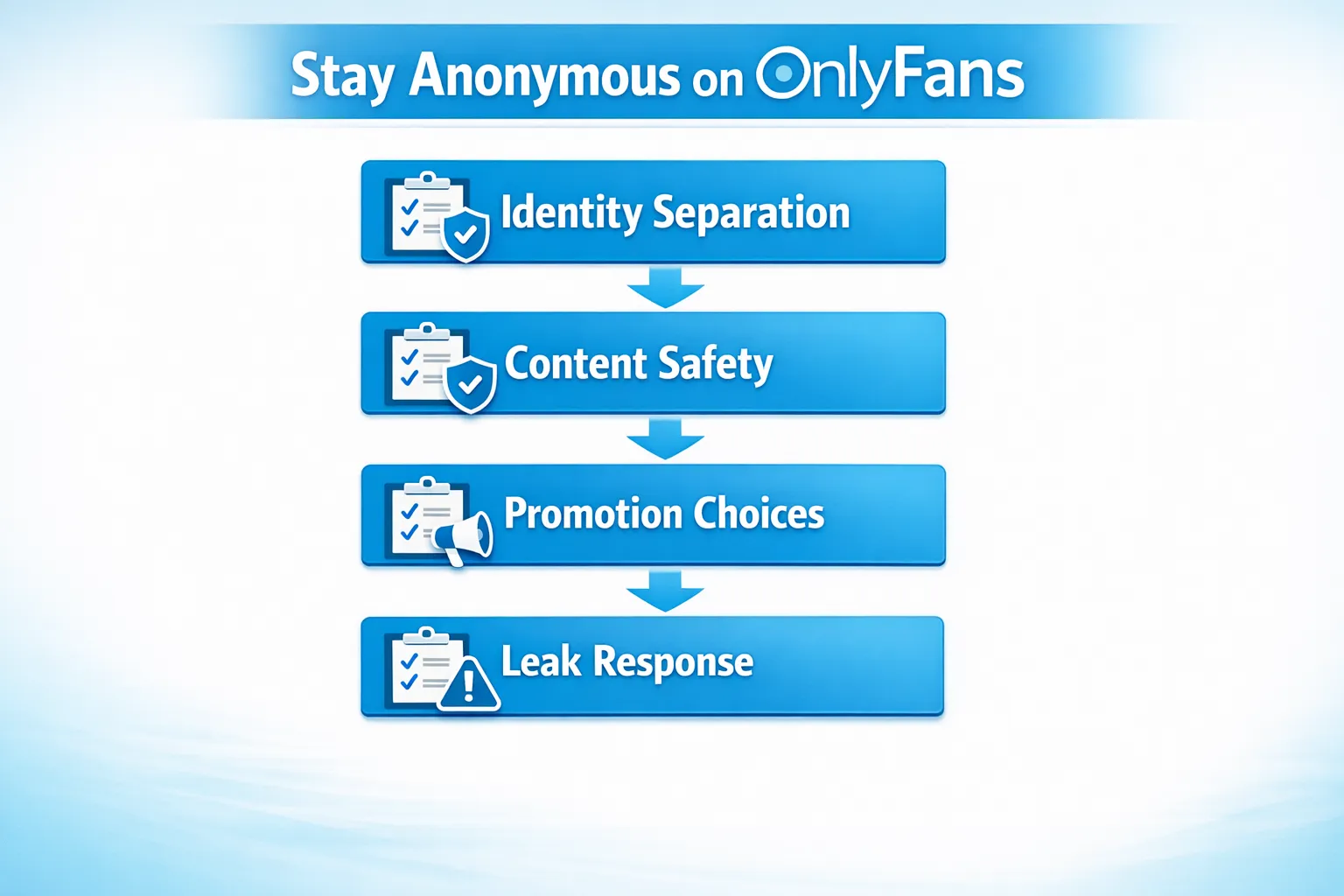
No system makes you “undoxxable.” What you can do is make yourself a hard target and eliminate the easy mistakes that cause most discoveries.
If you want, tell me your anonymity goal (Level 1, 2, or 3), whether you plan to show face, and your main promo channel (Reddit, X, TikTok, IG). I can suggest the safest setup choices and the tradeoffs for each.



Ready to transform your career?
Join hundreds of creators already earning six figures with Lookstars Agency.
Share this article
Best OnlyFans Agency
Europe's Leading OnlyFans Management Agency.

100% Free Ebook
Get our guide and unlock the secrets to OnlyFans success.
100% Free Ebook
Get our guide and unlock the secrets to OnlyFans success.
Free Revenue Calculator & Profile Analyzer
Try them for freeContinue reading...

Am I Attractive Enough for an OnlyFans Agency? The Answer

Can You Ever Fully Delete Your OnlyFans Content? The Reality
