How to Withdraw Money from OnlyFans in Brazil
Getting paid is the unsexy part of OnlyFans, but it’s also the part that can stress you out the most, especially if you’re in Brazil and you’re dealing with ...
Getting paid is the unsexy part of OnlyFans, but it’s also the part that can stress you out the most, especially if you’re in Brazil and you’re dealing with international transfers, name matching, and bank quirks.
This guide walks you through how to withdraw money from OnlyFans in Brazil step by step, what to prepare before you request a payout, and what to do if your payout is delayed.
(Quick note: payout options and requirements can change. Always double-check inside your OnlyFans account settings and in OnlyFans’ official help pages.)
Before you withdraw: the 60-second “payout ready” check
Most payout problems in Brazil come from small mismatches that trigger compliance checks (KYC/AML) or bank rejections.
Make sure these basics are clean first:
- Your OnlyFans legal name matches your bank account holder name exactly (including middle names and accents, if your bank uses them).
- Your bank details are typed correctly (one digit off can bounce the transfer).
- Your account is fully verified and your banking section shows “active/approved” (wording can vary).
- You have 2FA enabled so your payout settings cannot be hijacked.
If you want a deeper guide to why international payouts get stuck and how to fix them quickly, read: International payouts: how to avoid common delays.
Step-by-step: how to withdraw money from OnlyFans in Brazil
The exact button labels can change, but the flow is usually the same.
1) Confirm you’re eligible to withdraw
Inside your earnings/payout area, check for:
- A minimum payout threshold (varies by platform and method)
- Any holding period for recent earnings (platforms sometimes hold funds for a short time for risk control)
- Any verification tasks still pending
If your earnings look “stuck” as pending, don’t panic. It often just means they’re not yet available for withdrawal.
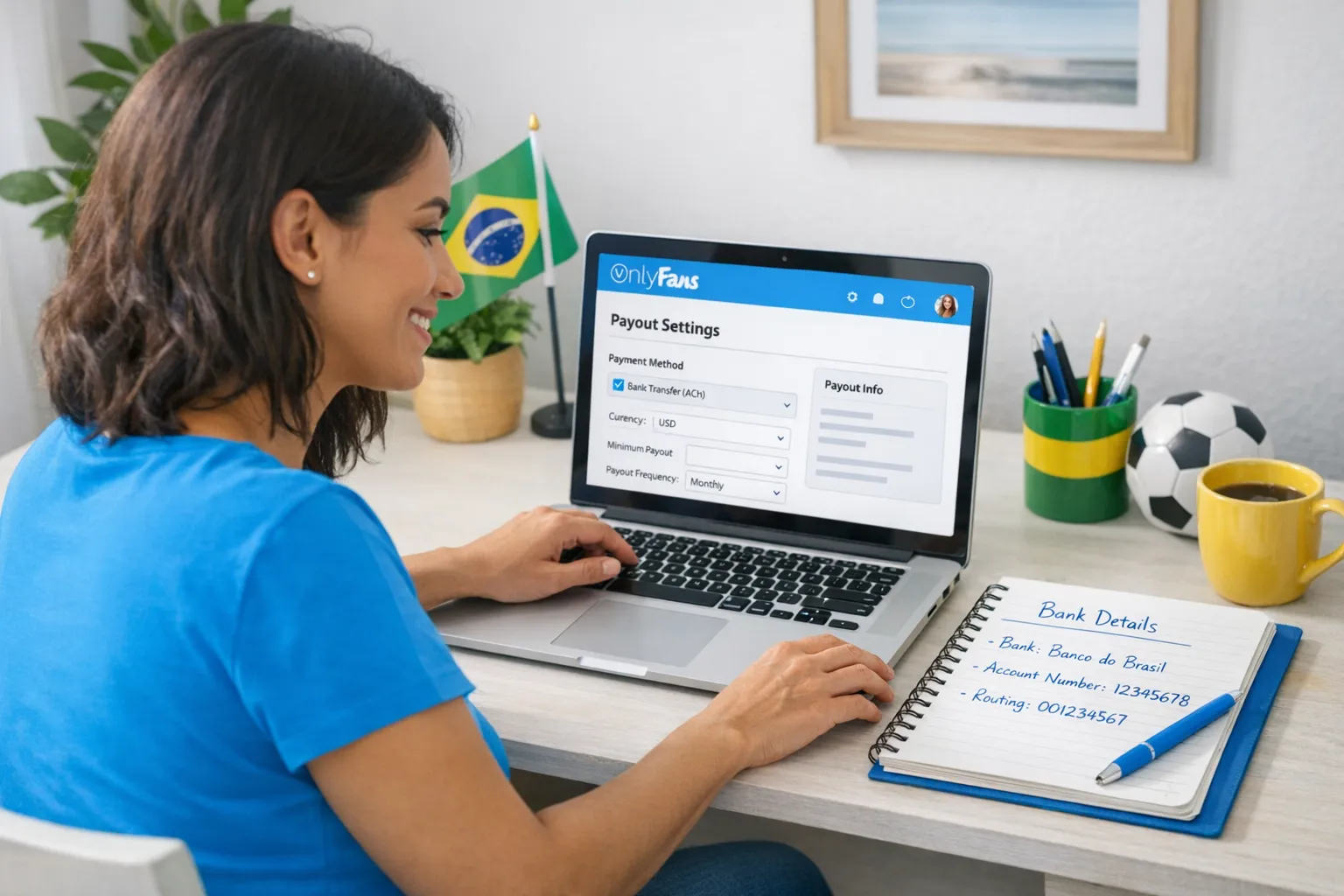
2) Add or update your payout method (Banking settings)
Go to your Settings (or Banking / Payouts) and choose the payout method available to your Brazil-based account.
Because availability can differ by region and can change over time, the best practice is:
- Select the payout method shown in your dashboard
- Fill in the requested banking fields exactly
- Save, then look for a status like “verified,” “approved,” or “enabled”
Brazil-specific tip: use a bank account that is reliably set up for international receipts (some digital banks are great, others block or hold inbound transfers). If you’re unsure, ask your bank support: “Do you receive international transfers in my name without extra documentation?”
3) Double-check the “name match” (this is huge)
OnlyFans and its payout providers generally want the payout account to belong to the same person who passed verification.
Common Brazil issues:
- Your bank account is under a shortened name (example: “Ana M. Silva”) but your verification is full legal name.
- You changed your legal name recently and your bank has not updated it.
- You’re trying to route payouts to an account that is not in your name.
If you want to keep your real identity private from subscribers, that’s a separate issue from payouts. Payout compliance still typically requires legal identity behind the scenes.
For privacy-first operational tips, you may also like: How to secretly promote your OnlyFans (without friends or family finding out).
4) Request the payout
Once your banking method is active, you’ll typically see a button to request a withdrawal.
When you request a payout:
- Take a screenshot of the confirmation screen (date, amount, last 4 digits where applicable)
- Note the payout ID or reference number if it’s shown
- Expect that processing time can vary, especially for your first payout
5) Track the payout status until it lands
Payout status commonly moves through steps like:
- Requested
- Processing
- Sent
- Completed
If it says “sent” but you don’t see it in your bank yet, the delay can be:
- Intermediary banking network delays
- Weekend/holiday timing
- Bank compliance holds
- Currency conversion processing
Again, the fastest way to troubleshoot is to isolate whether the delay is platform-side or bank-side. Use this internal guide: International payouts: how to avoid common delays.
What Brazilian creators should expect (currency, fees, and timing)
You might receive payouts in a foreign currency that your bank converts into BRL, or the payout provider may convert before it hits your account. Either way, your final BRL amount can be affected by:
- Exchange rate spreads
- Incoming transfer fees
- Intermediary bank fees
- Local taxes/financial transaction charges that may apply depending on the route
Because these costs vary by bank and transfer rail, the most reliable approach is to ask your bank what you’ll be charged for inbound international transfers and compare banks if needed.
Brazil payout setup checklist (copy and use)
Use this checklist before changing anything in your payout settings:
- Confirm your OnlyFans profile is fully verified and approved.
- Enable 2FA and change your password before editing banking.
- Make sure your bank account holder name matches your verification name exactly.
- Confirm your bank supports inbound international transfers in your name.
- Save screenshots of your banking setup screen (without sharing them publicly).
- Request a small first payout if you’re testing a new bank route.
Common payout problems in Brazil (and what to do)
Problem 1: “Payout failed” or it gets returned
This is often caused by incorrect bank details or a mismatch between your legal name and the account holder name.
What to do:
- Re-check every field you entered
- Contact your bank and ask if they rejected an inbound transfer (they can sometimes see attempts)
- If you update banking info, wait for it to be fully approved before re-requesting
Problem 2: “Sent” but you still haven’t received it
If it’s been a few business days, treat it like a tracking problem.
- Ask OnlyFans support (or check your payout page) for a transfer reference if available
- Ask your bank to search for an incoming international transfer under your name and the expected amount
Problem 3: You’re worried about privacy while withdrawing
Withdrawing money requires legal compliance, but you can still protect your privacy day to day:
- Use a dedicated email and separate business socials
- Use OnlyFans country blocking where appropriate
- Tighten your account security and limit who can access your payout settings
If anonymity is a major priority, you’ll get value from: How to make money on OnlyFans without showing your face & stay anonymous.
A simple troubleshooting flow (so you don’t spiral)
When you’re stressed, you need a decision tree, not “try again later.” Use this.
| What you see | Most likely cause | Best next step |
|---|---|---|
| Earnings show as pending/unavailable | Normal holding period or not yet cleared | Wait until they become available, then withdraw |
| Banking method won’t activate | Verification or info mismatch | Re-check identity and banking fields, then retry |
| Payout says “failed” quickly | Bank details issue, name mismatch | Correct details, confirm bank accepts inbound transfers |
| Payout says “sent” but not received | Bank-side processing or intermediary delays | Ask bank to trace inbound transfer, check payout reference |
| Repeated delays or holds | Higher-risk pattern (new account, frequent changes) | Stop changing details, stabilize, contact support with documentation |
For a more detailed checklist and step-by-step diagnostics, bookmark: International payouts: how to avoid common delays.
Tax note for Brazil (keep it simple)
OnlyFans income is income. In Brazil, how you report it can depend on your specific situation (employment status, other income, deductions, and local rules).
This is educational, not legal or tax advice. Policies and laws can change. Verify with official sources or a qualified accountant.
If you want a practical system for staying organized (even if you later hire an accountant), this helps: OnlyFans taxes: the weekly habit to stay organized.
If withdrawing is becoming your bottleneck, consider getting operational help
If you’re doing well creatively but admin tasks keep breaking your momentum, payouts are usually only one piece of a bigger operations puzzle: banking setup, content calendar, DMs, upsells, leak monitoring, and privacy.
Lookstars is an OnlyFans management agency that helps creators with marketing and fan growth, 24/7 fan chatting, strategic posting management, privacy setup (including country blocking), and content leak protection. Lookstars also offers zero setup costs and flexible, cancel-anytime contracts, so you’re not locked in if it’s not the right fit.
If you’re deciding whether to stay solo or outsource, this guide can help you think clearly: Working with an agency vs running OnlyFans alone.
If you want to explore management, you can start here: Lookstars Agency.



Gata să-ți transformi cariera?
Alătură-te sute de creatori care câștigă deja șase cifre cu Lookstars Agency.
Distribuie acest articol
Cea Mai Bună Agenție OnlyFans
Agenția de Management OnlyFans Lider în Europa.

100% Ebook gratuit
Obține ghidul nostru și deblochează secretele succesului pe OnlyFans.
100% Ebook gratuit
Obține ghidul nostru și deblochează secretele succesului pe OnlyFans.